Course
Give your AI a permanent memory of your business. A course for people who use ChatGPT or Claude daily.Compound Context

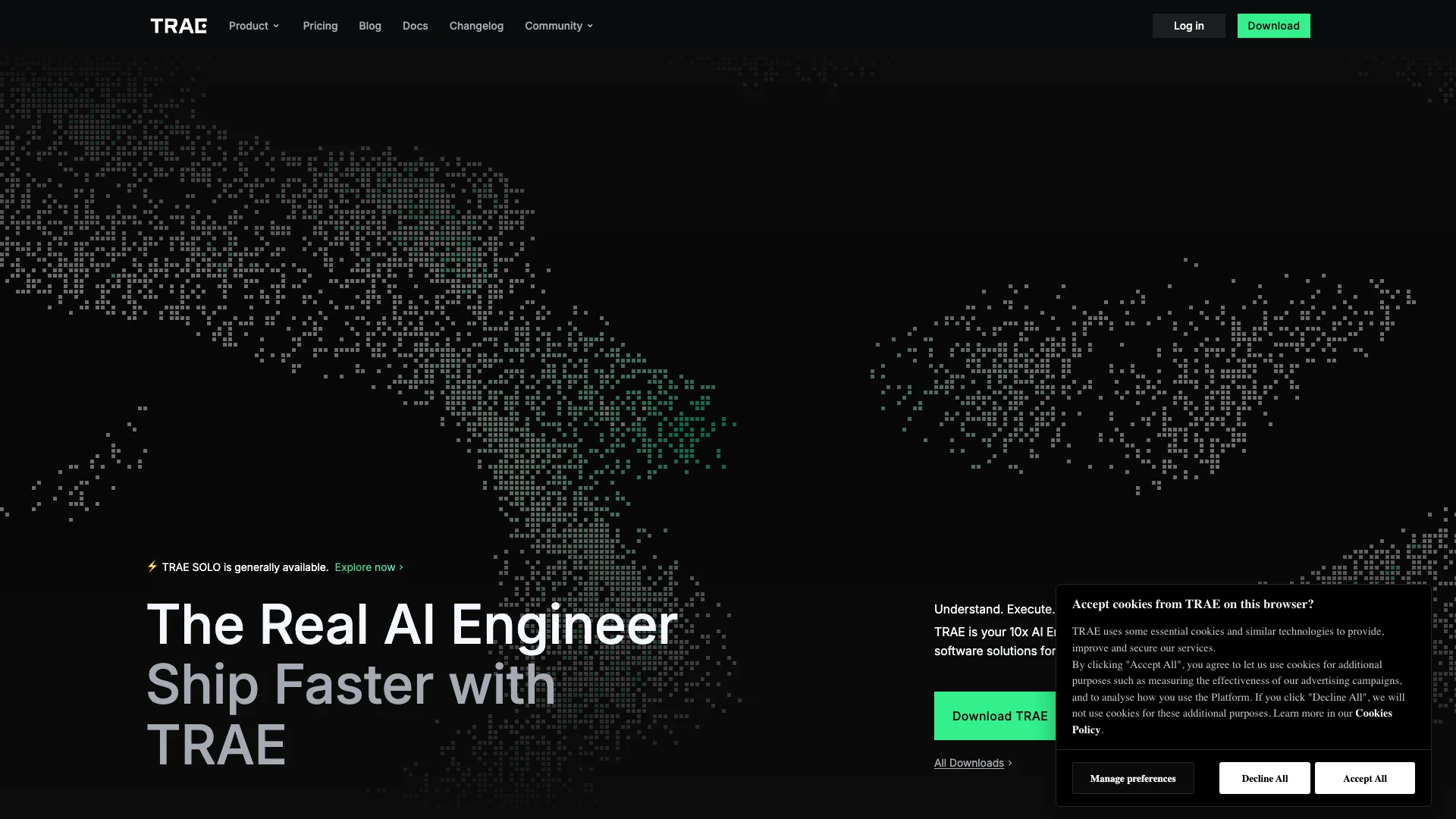
TRAE AI is an intelligent coding assistant that helps developers build software much faster. It works like an AI engineer, taking your ideas from start to finish by understanding your needs, planning the work, writing code, and deploying completed applications with ease.

Free Option

About TRAE

Who It's For

TRAE is for developers and coders who want to build software much faster. It helps individuals and teams quickly turn their ideas into working applications, especially for web development.

What You Get

You get a smart AI coding assistant that handles many tasks. This includes generating code, answering questions, fixing bugs, and managing entire projects from start to finish with SOLO mode. It supports various languages and offers one-click deployment for web apps.

How It Works

TRAE understands your project idea, plans development, writes code, and deploys the solution. You can use it within your current coding environment (IDE mode) or let SOLO mode work fully on its own. Your code stays local, and data privacy is important.
Stay in the loop

Weekly roundup of new AI agents. No spam, unsubscribe anytime.

Subscribe and get the free 2026 AI Agents Field Guide

Join 1,500+ AI builders ยท weekly, no spam

Features & Capabilities

โš™๏ธ Autonomous AI Development

End-to-End Software Building

TRAE acts as a 10x AI engineer, independently building and deploying production-ready software solutions from conception to launch.

Autonomous Solution Delivery (SOLO Mode)

The SOLO mode empowers the AI agent to drive the entire development process, delivering complete solutions while keeping users in visual control.

Vision-Driven Execution

TRAE understands user vision, plans the development workflow, executes with precision, and utilizes the right tools to turn ideas into functional software.

๐Ÿ’ป Flexible Development Modes

Integrated Development Environment (IDE Mode)

Seamlessly brings advanced agentic capabilities directly into a traditional coding workflow for collaborative development.

Fully Autonomous Mode (SOLO Mode)

Unleashes an AI agent that independently manages the entire software development lifecycle from start to finish.

Seamless Workflow Switching

Allows developers to effortlessly switch between traditional IDE and the fully autonomous SOLO mode.

๐Ÿค– Advanced Agentic System

Multi-Agent Collaboration

Utilizes multiple built-in or custom agents, each with specialized expertise, to collaboratively plan, execute, and solve complex development challenges.

Customizable AI Agents

Enables users to create and customize their own agents for specific tasks, enhancing problem-solving capabilities.

Open Agent Ecosystem

Supports sharing and discovering community-built agents, fostering a collaborative and expanding AI agent library.

โœจ AI-Powered Coding Assistance

Smart Code Generation

Quickly generates efficient code snippets and entire applications on the fly, significantly boosting developer productivity.

Intelligent Autocompletion

Enhances coding efficiency with smart autocompletion features, making development faster and smoother.

Code Understanding & Translation

Assists developers by translating and explaining complex or unfamiliar code snippets for better comprehension.

๐Ÿ”’ Security & Data Privacy

Local-First Principle

Prioritizes protecting user privacy and data security by adhering to a 'local-first' approach.

Minimal Data Collection

Commits to the principle of minimal data collection to ensure user data remains secure and private.

Use Cases

Accelerating End-to-End Software Development with AI

For software development teams and startups seeking to drastically cut development cycles, TRAE's SOLO mode acts as an autonomous 10x AI engineer. It handles the entire software lifecycle, from requirements definition and complex architectural changes to implementation, database integration, and one-click deployment, enabling users to ship complete, production-ready solutions faster.

Software Development, B2B SaaS, StartupsFor: Software Engineers, CTOs, Product Development Teams, Startup Founders

Boosting Individual Developer Efficiency with AI-Powered Assistance

Developers often face challenges with repetitive coding tasks, debugging, and understanding large, complex codebases. TRAE's IDE mode integrates seamlessly into existing workflows, offering intelligent code auto-completion, AI Q&A, bug identification, unit test generation, and refactoring suggestions, empowering individual engineers to write higher-quality code faster and significantly improve overall productivity.

Software Development, IT Services, Enterprise SoftwareFor: Software Developers, Junior Developers, Engineering Teams, Senior Engineers

Streamlining Web Application Prototyping and One-Click Deployment

Web developers and product teams frequently need to quickly build and iterate on new web applications to validate ideas and gather feedback. TRAE, particularly with its SOLO Builder mode tailored for web tasks, allows users to rapidly develop full-fledged applications from concept to deployment, providing a built-in browser for previewing and one-click publishing to platforms like Vercel, which greatly accelerates the prototyping and market validation process.

Web Development, Startups, Product DevelopmentFor: Web Developers, Frontend Developers, Indie Hackers, Product Managers

Frequently asked questions

TRAE AI is an AI-powered coding assistant and IDE designed to boost developer productivity. It offers features like AI Q&A, code auto-completion, agentic programming workflows, and advanced modes like SOLO for end-to-end project development.

TRAE AI offers both free and paid (Pro) versions. The free tier provides access to core features, while the Pro version unlocks advanced capabilities, including priority access to new models and exclusive features like SOLO mode (subject to availability and invitation).

TRAE AI prioritizes user data security. Codebase files are stored locally on your device. For codebase indexing, files are temporarily uploaded to secure servers (US, Singapore, Malaysia) to compute embeddings, after which plaintext code is permanently deleted. Chat data and telemetry can be controlled via Privacy Mode, allowing users to opt out of analytics and product improvement data collection.

No, TRAE AI is not open source. It is a proprietary tool developed by the TRAE team.

TRAE AI was developed by the TRAE team, evolving from the MarsCode plugin. It is now a standalone AI-native IDE and plugin ecosystem.

The main features of TRAE AI include AI Q&A and code auto-completion, agentic programming workflows, SOLO mode for end-to-end project development (currently in beta with limited access), one-click deployment (e.g., to Vercel), a built-in browser for previewing web apps, voice input for AI commands, custom AI agents via MCP (Model Context Protocol), and support for multiple programming languages such as JavaScript, TypeScript, Go, Rust, C++, Java, and Python.

To connect TRAE AI to a custom language model, first go to the model settings in the IDE (side chat box settings), then select "Add Model" and choose your provider (e.g., OpenAI, Anthropic, DeepSeek, Z.ai), next enter your API key, and finally validate and save. Your custom model will then be available for use.

TRAE AI supports a range of models, including native support for models like DeepSeek-V3, GPT-4o-mini, and GLM-4.6, as well as custom integration with models from OpenAI, Anthropic, DeepSeek, Z.ai, and others via API keys.

Yes, TRAE AI allows you to connect your own API keys for providers like OpenAI, Anthropic, DeepSeek, and Z.ai, giving you flexibility and control over which models you use.

SOLO mode is an advanced feature that enables end-to-end software engineering, from project planning to deployment. It is currently in beta with limited access, requiring special invitation codes even for Pro users.

TRAE AI handles data privacy by storing codebase files locally, retaining only embeddings (not plaintext) on servers, and allowing chat data and telemetry to be controlled via Privacy Mode. Users can also exclude files from context and limit telemetry collection.

You can get support for TRAE AI by reporting issues in the Trae IDE, joining the online community, or emailing [email protected] for cooperation or consultation.

To install TRAE AI, first download and install TRAE from the official website, then launch the IDE and follow the setup instructions, and finally configure models and API keys as needed.

The TRAE Plugin integrates into existing IDEs like VSCode and JetBrains, offering AI coding assistance, whereas the TRAE IDE is a standalone, AI-native code editor with advanced features like Builder Mode and multimodal capabilities.

Yes, TRAE AI can generate unit tests, identify bugs, and offer automated refactoring suggestions.

Yes, TRAE AI is tailored for web developers, offering features like SOLO Builder (customized for web tasks), one-click deployment, and built-in browser preview.

More information about TRAE AI can be found in the Official Documentation, the FAQ, and the Blog.

Tags

Specifications

Deployment
Browser
Target Audience
Individual
Startup
Complexity
Developer

Pricing

Free

Per monthly

Free
  • 10 Fast requests / month
  • 50 Slow requests / month
  • 1000 Requests of Advanced models / month
  • 5000 Autocomplete / month
  • Limited IDE mode
  • Limited SOLO mode
  • Limited New feature access

Pro

Per monthly

$10
  • 600 Fast requests / month
  • Unlimited Slow requests
  • Unlimited Requests of Advanced models
  • Unlimited Autocompletion
  • Supported IDE mode
  • Supported SOLO mode
  • Limited New feature access

โœ“ Free plan โ€ข โœ“ Plans from $10 / monthly

Want your AI tool listed here?

Start with a free eligibility check.

Submit