Course
Give your AI a permanent memory of your business. A course for people who use ChatGPT or Claude daily.Compound Context

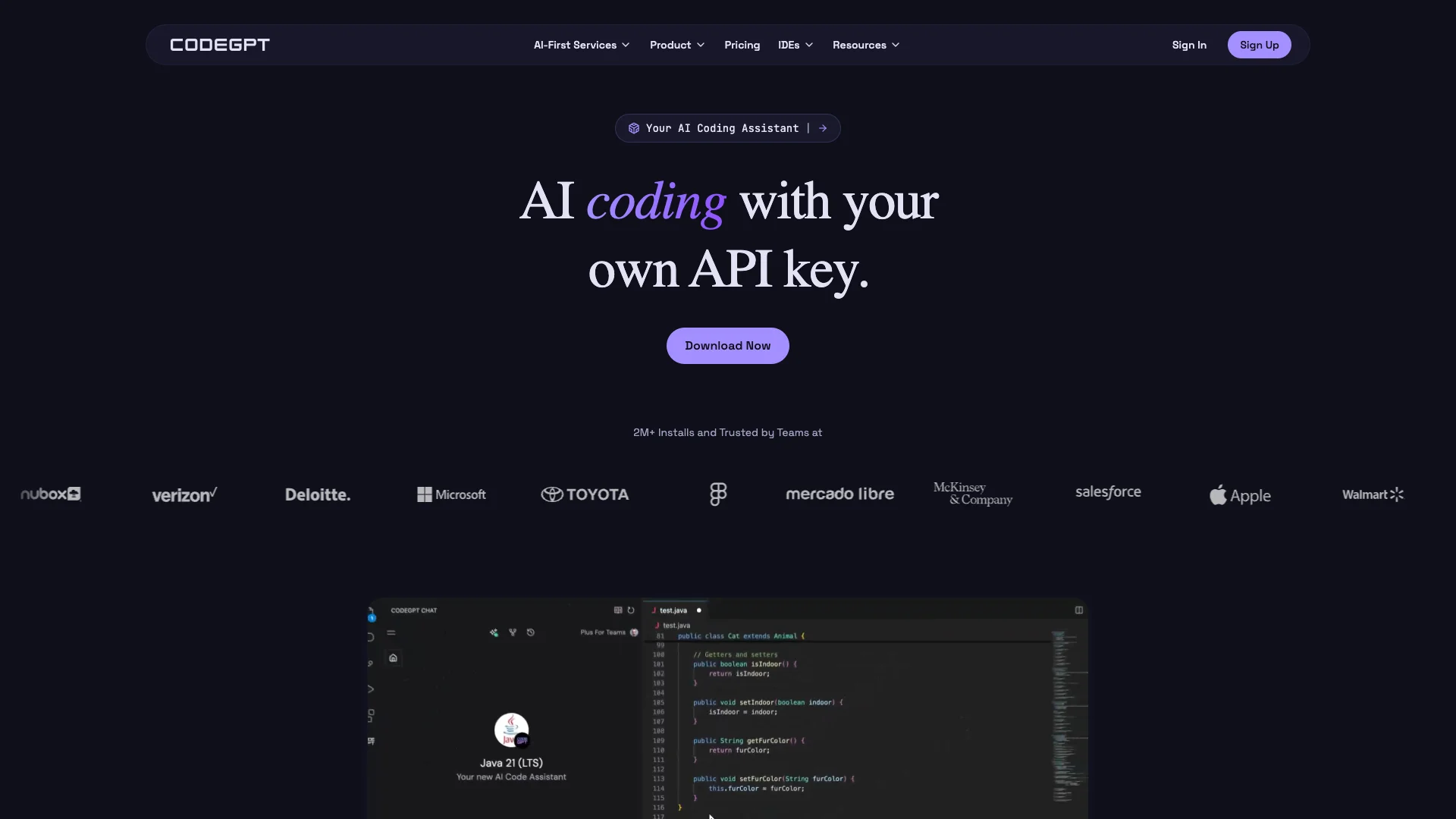
CodeGPT is an AI coding assistant that works in your development environment like VSCode. It helps you write, debug, and understand code. You connect your own AI models using your API keys, which means you control the costs and keep your data private. It's a flexible way to code faster and smarter.

Free Option

About CodeGPT

Who It's For

This tool helps software developers and engineering teams who use IDEs like VSCode. It's for anyone wanting AI coding assistance but needing full control over their data, AI models, and costs.

What You Get

You receive an AI assistant for generating, explaining, debugging, and improving code. You can also create custom AI agents. A key benefit is using your own API keys to choose from many AI models, ensuring transparent control over usage and expenses.

How It Works

CodeGPT integrates directly into your code editor. It understands your project and helps plan solutions. You see and approve every step, like file reads and suggested edits, before changes are made. Just install, add your API key, and start coding with AI.
Stay in the loop

Weekly roundup of new AI agents. No spam, unsubscribe anytime.

Subscribe and get the free 2026 AI Agents Field Guide

Join 1,500+ AI builders · weekly, no spam

Features & Capabilities

⚙️ Core AI Functionality

AI-driven Planning & Execution

The AI deeply analyzes user needs, plans smart solutions, and brings ideas to life with precision.

Full Model Flexibility

CodeGPT studies your codebase and co-creates a detailed plan, ensuring it grasps the project's full scope and intent.

Transparent AI Operations

Users can observe CodeGPT's actions in real-time, review options, and approve changes before implementation.

Custom LLM Integration

Allows users to choose and swap between various large language models (e.g., Claude, Gemini) using their own API keys.

🛠️ Development Toolkit

Multi-Connection Protocol (MCP)

Links CodeGPT to external APIs, documentation, and databases, acting as a bridge to any external system.

Code Rules Enforcement

Enables users to set specific rules that CodeGPT follows for consistent, standards-based code generation.

Real-time Context Tracking

Provides live monitoring of context usage, ensuring full visibility without hidden limits or surprises.

Secure Development Environment

Offers proactive threat detection and neutralization to keep your business secure within the development workflow.

⚡ Productivity & Automation

Agent and Planning Mode

Provides advanced AI agent and planning capabilities to handle complex coding tasks efficiently.

Advanced Auto-complete

Offers sophisticated and intelligent code auto-completion to accelerate the coding process.

Unlimited AI Interactions

Grants unrestricted access to AI interactions, removing usage limitations for continuous coding support.

🤝 Enterprise Solutions & Support

AI Integration Consulting

Provides expert consultation services for seamlessly integrating AI capabilities into existing business operations.

Custom AI Solutions

Develops tailored AI solutions and functionalities designed to meet specific enterprise business needs.

Dedicated Support & Training

Offers specialized support and comprehensive training programs for enterprise clients to maximize AI adoption and effectiveness.

Use Cases

Streamlining Code Generation, Debugging, and Documentation

Developers frequently face time constraints when writing boilerplate code, debugging complex issues, or generating documentation. CodeGPT integrates directly into popular IDEs, providing AI-powered assistance for generating, completing, refactoring, and debugging code, along with automated documentation, significantly accelerating project delivery and reducing manual effort.

Software DevelopmentFor: Software Developers

Customizing AI Agents for Proprietary Enterprise Codebases

Enterprises require AI assistance that adheres to their specific coding standards and understands proprietary code, all while ensuring data privacy and cost control. CodeGPT enables engineering teams to create custom AI agents trained on their private knowledge bases and enforce company-specific rules, ensuring highly relevant, secure, and compliant AI-driven development with full transparency and direct API key management.

Enterprise SoftwareFor: Engineering Teams

Enforcing Coding Standards and Improving Code Health with AI

Maintaining consistent code quality and adherence to internal standards across large development teams is a significant challenge, often leading to technical debt and lengthy code reviews. CodeGPT's 'Rules' feature allows organizations to embed their specific coding conventions, which the AI then follows for code generation and suggestions, while its refactoring and documentation tools proactively improve code readability and maintainability, ensuring higher quality and consistency.

Software DevelopmentFor: Tech Leads

Leveraging Diverse AI Models for Optimized Development Tasks

Developers need the flexibility to utilize various AI models, each suited for different tasks, without vendor lock-in or unpredictable costs. CodeGPT provides unparalleled model flexibility, allowing users to integrate and swap between a wide array of AI providers using their own API keys, ensuring they can always select the most effective and cost-efficient AI for specific coding, reasoning, or content generation challenges.

AI/ML DevelopmentFor: AI/ML Engineers

Frequently asked questions

CodeGPT is an AI-powered platform and ecosystem designed to enhance software development workflows. It integrates with popular IDEs (like VSCode and JetBrains) and offers a web platform for creating and managing AI agents. CodeGPT is not a single model but a flexible system that supports multiple AI providers and models.

CodeGPT's main features include AI Agents for creating custom AI agents tailored to your needs and knowledge base; Code Graphs for uploading and interacting with your repositories for AI-powered code understanding; IDE Extensions for seamless integration with VSCode, JetBrains IDEs, and more; Integrations to connect with platforms like Discord and Slack; Team Collaboration to manage organizations and work with your team; a Knowledge Base to train agents with your documentation and code repositories; Code Generation & Completion to generate and explain code snippets; Debugging Assistance for help with debugging, refactoring, and writing documentation; and Model Flexibility to use your preferred AI models with your own API keys.

To install and set up CodeGPT for VSCode, install the CodeGPT extension from the Visual Studio Marketplace, then add your API key and configure the AI provider. For JetBrains IDEs, install the CodeGPT plugin and follow the setup instructions for your chosen AI provider. On the Web Platform, sign up on the CodeGPT website and create your first agent by adding your data, such as API documentation, PDFs, or your codebase.

CodeGPT supports a wide range of AI models from top providers, including OpenAI, Anthropic, Google, Meta, Nvidia, Groq, Cohere, and Mistral. You can also use local models or custom providers.

In VSCode, use the side panel to generate code, explain code, refactor, and debug; you can also use slash commands like /Fix, /Document, /Unit Testing, and /Refactor. Similar features are available through the plugin interface for JetBrains IDEs.

Yes, with the CodeGPT Plus tier, you can create, use, and share your own AI agents based on your data or codebase.

CodeGPT is designed with a privacy-first architecture. Your code and data remain under your control unless you explicitly choose to use cloud AI models. Even then, you own the API keys and have complete data sovereignty.

CodeGPT offers a Free Tier with basic features and limited model access, a Plus Tier with premium models, AI agents, and advanced features, and a Teams Plan with additional collaboration and management tools for teams.

You can find your CodeGPT API key in your account settings on the CodeGPT website.

Yes, you can retrieve your conversation history through the CodeGPT web platform or the IDE extension.

To troubleshoot issues with the CodeGPT extension, you should check the extension documentation and troubleshooting guides, ensure your API key is correctly configured, and review your subscription settings and plan.

The best practices for using CodeGPT include using clear and specific prompts, regularly updating your knowledge base and agents, taking advantage of the model flexibility to choose the best AI for your task, and reviewing and testing AI-generated code before integrating it into your project.

More resources and support can be found in the CodeGPT Documentation, the CodeGPT Help Center, and the VSCode Extension marketplace.

Tags

Specifications

Deployment
API
Browser
Target Audience
Individual
Startup
Business
Enterprise
Complexity
Developer

Pricing

Try for Free

Per one-time

Free
  • Access to models with your own API KEY
  • No rate limits apply
  • Up to 30 interactions (Chat & Agent)

BYOK

Per monthly

$8
  • Includes all features from the Try for Free plan
  • Bring-your-own-key (BYOK)
  • Unlimited interactions using your Own API KEYS
  • Agentic mode with planning for complex tasks
  • Unlimited auto-complete
  • 24-hour AI agent history

Teams

Per monthly

$30
  • Includes all features from the BYOK plan
  • Up to 500 monthly interactions (Chat & Agent)
  • Up to $30 in monthly token cost
  • Add unlimited team members
  • Unlimited AI agent history
  • More interactions available at cost
  • Data excluded from AI training by default

AI-First Services

Per one-time

Contact sales
  • SSO & Enterprise-grade security
  • SOC 2 Type II certified
  • Flexible deployment (self-hosted or cloud)
  • Custom AI agents for your workflows
  • Comprehensive implementation support
  • ROI-driven AI transformation in weeks

✓ Free trial • ✓ Free plan • ✓ Plans from $8 / monthly

Integrations

Claude
Gemini
JetBrains
Visual Studio Code

Want your AI tool listed here?

Start with a free eligibility check.

Submit