Course
Give your AI a permanent memory of your business. A course for people who use ChatGPT or Claude daily.Compound Context
Cursor logo

Cursor

4.4
โ€ข

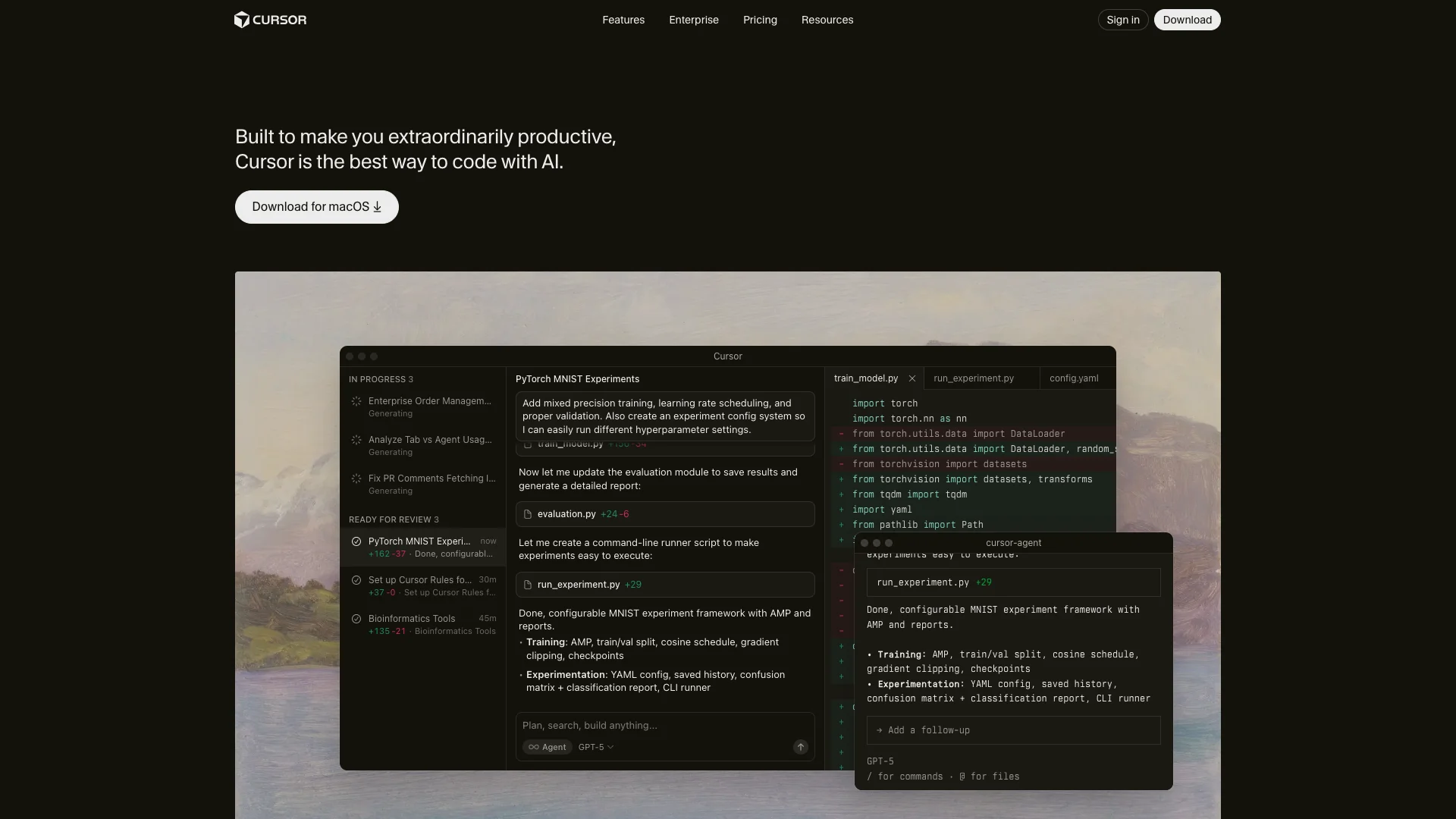
Cursor is an AI-powered code editor that helps developers write, edit, and understand code much faster. It uses smart AI features like autocomplete, code generation, and deep codebase understanding to boost your productivity and simplify complex coding tasks.

Free Option

About Cursor

Who It's For

Cursor is for developers and software teams. It helps programmers write code faster and smarter, boosting their productivity. If you want an AI assistant for your coding tasks, this tool is designed for you.

What You Get

You get an AI code editor that provides intelligent help. It offers accurate code suggestions, generates new code, and understands your entire project. It also integrates with tools like GitHub and Slack, and lets you pick from various advanced AI models.

How It Works

You interact with Cursor using text commands or keyboard shortcuts. The AI suggests code, completes lines, or makes changes across multiple files. It learns your codebase to provide relevant and accurate assistance. You can also customize its behavior to fit your workflow.
Stay in the loop

Weekly roundup of new AI agents. No spam, unsubscribe anytime.

Subscribe and get the free 2026 AI Agents Field Guide

Join 1,500+ AI builders ยท weekly, no spam

Features & Capabilities

๐Ÿš€ Core AI Coding Capabilities

AI Agent Programming

Transforms ideas into functional code, acting as an advanced human-AI programmer to boost developer effectiveness.

Magically Accurate Autocomplete

Predicts and suggests the next coding action with striking speed and precision using a custom 'Tab' model.

Complete Codebase Understanding

Learns and indexes how your entire codebase works, providing deep comprehension regardless of its scale or complexity.

Flexible AI Model Selection

Allows users to choose from cutting-edge AI models provided by OpenAI, Anthropic, Gemini, and xAI.

๐Ÿ”— Development Workflow Integration

GitHub Integration

Reviews Pull Requests directly within GitHub, offering AI-powered feedback and suggestions for improved code quality.

Slack Integration

Acts as an AI-powered teammate in Slack, assisting with coding discussions and tasks for enhanced collaboration.

Command Line Interface (CLI)

Provides AI coding assistance and capabilities directly from the command line for powerful scripting and automation.

Mobile Agent Access

Extends AI coding and agent capabilities to mobile devices, enabling productivity and problem-solving on the go.

Use Cases

Accelerating Feature Development with AI

Developers often face challenges in quickly writing new code, implementing features, or refactoring existing code efficiently. Cursor leverages AI agents and highly accurate autocomplete (Tab model) to translate natural language ideas into functional code, allowing developers to generate and edit code much faster and with greater precision across single or multiple files.

Software DevelopmentFor: Software Engineers

Streamlining Codebase Navigation and Knowledge Transfer

New team members or developers tackling unfamiliar parts of a complex codebase can spend significant time understanding its structure and logic. Cursor's "Ask Mode" and codebase understanding features allow users to query the AI about their project in natural language, receiving instant, context-aware answers and explanations, effectively acting as a personalized, always-available "Stack Overflow" for their specific codebase.

Enterprise SoftwareFor: Junior Developers

Automating Code Review and Proactive Bug Detection

Manual code reviews can be time-consuming and prone to overlooking subtle bugs or architectural issues. Cursor integrates directly into development workflows, such as GitHub PRs and Slack, where its AI bot can automatically review code changes, identify logic bugs, suggest fixes, and even implement them, significantly enhancing code quality and accelerating the review cycle.

DevOpsFor: Code Reviewers

Optimizing Machine Learning and Complex System Development

Researchers and engineers working on machine learning models or complex systems often require iterative experimentation and fine-tuning. Cursor's agent mode, combined with its ability to understand entire codebases and integrate custom models, allows users to quickly plan, implement, and optimize experiments, manage configurations, and even set rules for AI behavior to maintain high code standards in specialized domains.

Machine LearningFor: ML Engineers

Frequently asked questions

Tags

Specifications

Deployment
Browser
Browser
Target Audience
Individual
Startup
Business
Enterprise
Complexity
Expert

Pricing

Hobby

Per monthly

Free
  • One-week Pro trial
  • Limited Agent requests
  • Limited Tab completions

Pro

Per monthly

$20
  • Includes all features from the Hobby plan
  • Extended limits on Agent
  • Unlimited Tab completions
  • Background Agents
  • Maximum context windows

Pro +

Per monthly

$60
  • Includes all features from the Pro plan
  • 3x usage on all OpenAI, Claude, Gemini models

Ultra

Per monthly

$200
  • Includes all features from the Pro plan
  • 20x usage on all OpenAI, Claude, Gemini models
  • Priority access to new features

Teams

Per monthly

$40
  • Includes all features from the Pro plan
  • Centralized team billing
  • Usage analytics and reporting
  • Org-wide privacy mode controls
  • Role-based access control
  • SAML/OIDC SSO

Enterprise

Per monthly

Free
  • Includes all features from the Teams plan
  • Pooled usage
  • Invoice/PO billing
  • SCIM seat management
  • AI code tracking API and audit logs
  • Granular admin and model controls
  • Priority support and account management

Bugbot Free

Per monthly

Free
  • Limited code reviews each month
  • Unlimited access to Cursor Ask
  • Cursor connection to auto-fix bugs
  • GitHub integration

Bugbot Pro

Per monthly

$40
  • Includes all features from the Bugbot Free plan
  • Unlimited reviews on up to 200 PRs/month
  • Access to Bugbot Rules

Bugbot Teams

Per monthly

$40
  • Includes all features from the Bugbot Pro plan
  • Unlimited code reviews on all PRs
  • Analytics and reporting dashboard
  • Advanced rules and settings

Bugbot Enterprise

Per monthly

Free
  • Includes all features from the Bugbot Teams plan
  • Advanced analytics and reporting
  • Priority support and account management

โœ“ Free trial โ€ข โœ“ Free plan โ€ข โœ“ Plans from $20 / monthly โ€ข โœ“ Enterprise options

Integrations

GitHub
Slack
OpenAI
Anthropic
Gemini
xAI

Want your AI tool listed here?

Start with a free eligibility check.

Submit