Course
Give your AI a permanent memory of your business. A course for people who use ChatGPT or Claude daily.Compound Context
Sourcegraph Cody AI logo

Sourcegraph Cody AI

From $49/mo

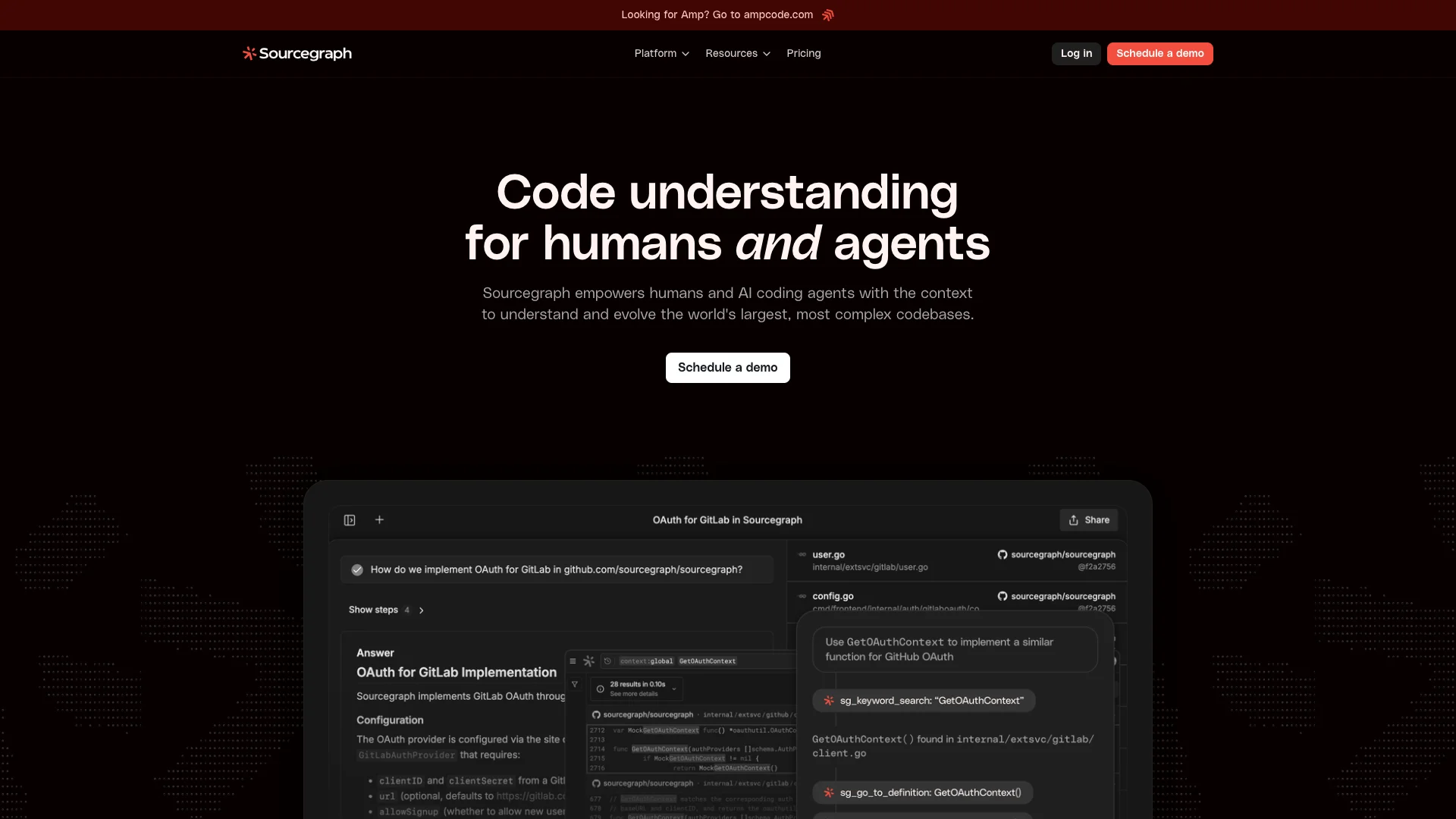
Sourcegraph empowers development teams and AI assistants to quickly understand and manage complex code. Its AI assistant, Cody, uses your entire codebase's context to help you write, fix, and update code faster. This boosts productivity and keeps code quality consistent across large teams.

About Sourcegraph Cody AI

Who It's For

This tool is for large engineering teams and companies dealing with complex code. It helps human developers and AI coding agents easily understand, update, and secure big codebases. It makes working with extensive code much faster and more efficient.

What You Get

You receive a platform that deeply understands all your code. It offers powerful search for quick answers and improves AI agents' work on older code. You also get tools to automate changes, monitor for issues, and view code trends with AI. The Cody AI assistant helps you write, debug, and fix code faster.

How It Works

Sourcegraph connects to your code, indexing everything for full understanding. When you or an AI needs help, it quickly finds the most relevant context from your entire codebase. This deep knowledge then powers accurate answers, code suggestions, and automated changes. You simply connect your code and configure the AI.
Stay in the loop

Weekly roundup of new AI agents. No spam, unsubscribe anytime.

Subscribe and get the free 2026 AI Agents Field Guide

Join 1,500+ AI builders · weekly, no spam

Features & Capabilities

⚙️ AI-Powered Code Understanding

Agentic AI Search

Provides deep context and clear answers across complex codebases for humans and AI agents.

Sourcegraph MCP (AI Agent Enhancement)

Increases AI agent accuracy and output quality using powerful code search and navigation tools.

AI-powered Insights

Offers AI-powered dashboards to visualize and understand code changes across specified repositories.

🚀 Code Automation & Workflow

Batch Changes

Automates large-scale search-and-replace operations across all code hosts, repositories, and billions of lines of code.

Code Monitors

Monitors code for potential vulnerabilities, bad practices, and undesirable changes, triggering actions and notifications.

🔒 Enterprise Security & Compliance

Enterprise Compliance

Ensures code and data security with SOC2 Type II and ISO27001 compliance.

Zero Data Retention

Guarantees LLM inference data is never stored beyond necessity and never shared with third parties.

Single Sign-On (SSO)

Provides secure, centralized authentication using SAML, OpenID Connect, and OAuth.

Role-based Access Controls (RBAC)

Offers fine-grained RBAC to ensure secure and scoped team access.

💼 Enterprise Management & Support

SCIM User Management

Automates user provisioning and lifecycle management for enterprise scale.

Dedicated Support

Provides dedicated help through Account Managers and Support Engineers.

Use Cases

Automating Large-Scale Code Refactoring and Migrations

Engineering teams often face the daunting task of applying consistent changes or migrations across a vast, complex codebase. Sourcegraph's Batch Changes, combined with Cody AI's bulk editing and agentic development features, allow developers to intelligently search, understand, and automatically implement multi-file, multi-repository code modifications with high accuracy, significantly accelerating these critical updates.

Enterprise Software DevelopmentFor: Software Engineers, Engineering Leads, SRE/DevOps Teams

Boosting Developer Productivity with Intelligent Code Assistance

Developers frequently struggle with understanding complex or legacy codebases, leading to slower development cycles and increased debugging time. Sourcegraph Cody AI provides context-aware assistance, allowing engineers to quickly ask questions, generate code, receive intelligent completions, and identify/fix errors across their entire codebase, significantly speeding up development and onboarding processes.

Enterprise Software DevelopmentFor: Software Engineers, New Team Members, Junior Developers

Proactive Codebase Health and Security Monitoring

For large enterprises, ensuring code quality, identifying security vulnerabilities, and enforcing coding standards across vast repositories is a continuous challenge. Sourcegraph's monitoring capabilities allow teams to automatically detect bad practices or potential security flaws, trigger AI agents for immediate notification or automated fixes, and gain AI-powered insights into codebase changes, maintaining high standards and compliance.

Enterprise Software Development, Regulated IndustriesFor: Security Teams, Engineering Leads, Quality Assurance, Compliance Officers

Empowering AI Agents for Accurate Legacy Code Operations

Traditional AI coding agents often falter when faced with the intricacies of large, legacy enterprise codebases, leading to inaccurate outputs. Sourcegraph's MCP (Machine Code Perception) equips these AI agents with advanced code search and navigation capabilities, providing the deep context needed to significantly improve their accuracy and output quality when understanding and evolving complex or older code.

Enterprise Software Development, AI/ML DevelopmentFor: AI/ML Engineers, Platform Engineers, Engineering Managers overseeing AI adoption

Frequently asked questions

Sourcegraph Cody AI is an AI-powered coding assistant designed to help developers write, understand, and fix code faster. It leverages the context of your entire codebase—across multiple files and repositories—using Sourcegraph's advanced code search and intelligence platform.

The main features of Cody AI include Developer Chat, which allows you to ask questions about your code, generate new code, or edit existing code with AI assistance. It also offers Code Completions & Edits, providing intelligent autocomplete suggestions and enabling bulk code edits. Cody provides Context-Aware Assistance by understanding your entire codebase, not just the open file, leading to more relevant and idiomatic code suggestions. Furthermore, it assists with Debugging to help identify and fix errors, offers Customizable Prompts for specific tasks like unit testing or documentation generation, and supports Agentic Development (Amp) for planning and executing multi-step, multi-file changes autonomously for complex tasks.

Cody uses Sourcegraph's code search and code graph technology to index and analyze your codebase. When invoked, it pulls context from the files open in your IDE, other files and repositories you specify, and recently closed tabs and other relevant code snippets. Cody then ranks the most relevant context and sends it to a large language model (LLM) to generate responses.

Cody is available for Visual Studio Code, JetBrains IDEs such as IntelliJ and PyCharm, Visual Studio, and as a Web app.

No, Cody is currently only available for Sourcegraph Enterprise users. It is not available for individual or non-enterprise users.

Cody offers enterprise-grade privacy and security features including self-hosting, which allows you to host Sourcegraph and Cody on your own infrastructure. You can also use Custom API Keys for language models to keep your code within your infrastructure. Data Controls enable configuration of data export, retention, and deletion policies to meet compliance requirements, and Granular Permissions allow administrators to control access to code, AI features, and administrative settings.

To set up Cody AI, you need to connect your repositories to Sourcegraph, then index your codebase for search. After that, configure Cody with your preferred language models, import shared prompts, and set up permissions. Finally, you can start using Cody in your IDE or web app.

The benefits of using Cody AI include increased productivity, as developers can save significant time on coding tasks. It also helps maintain consistency and quality across large teams, and provides context-aware suggestions by understanding your entire codebase, leading to more relevant and idiomatic code. Additionally, Cody is designed with enterprise-grade security and compliance in mind.

To troubleshoot issues with Cody AI, you should verify your codebase indexing and search configurations, check integration settings with your IDE, and ensure multi-file awareness is enabled. Additionally, review logs for any errors, and reach out to Sourcegraph support for further assistance.

Support options available for Cody AI include detailed documentation, community forums, direct enterprise support plans, and tutorials and troubleshooting guides.

Yes, Cody supports customization through shareable prompts for specific tasks, integrations with tools like Notion and Linear, and customizable workflows and prompts to automate repetitive coding functions.

Cody allows you to store logs and interaction data within your infrastructure, configure retention duration and data deletion policies, and ensure auditability and control over AI-generated outputs.

Cody is part of Sourcegraph Enterprise, and pricing is typically based on the size and needs of your organization. For detailed pricing, contact Sourcegraph sales or your account representative.

More information and resources can be found at the Sourcegraph Cody Documentation: https://docs.sourcegraph.com/cody/overview, the Sourcegraph Blog: https://sourcegraph.com/blog, and the Community Forums and Support: https://sourcegraph.com/community.

Tags

Specifications

Deployment
Browser
Cloud
Target Audience
Enterprise
Complexity
Developer

Pricing

Enterprise Search

Per monthly

$49
  • Deep Search
  • Code Search
  • Symbol Search
  • Batch Changes
  • Code Insights
  • Code Navigation
  • Code Monitoring
  • Single-tenant cloud
  • All popular coding languages
  • Enterprise admin and security features
  • Remote codebase context (all code hosts)
  • 24x5 support
  • Customer Success Manager (CSM) Support
  • Premium Support Offerings

✓ Plans from $49 / monthly • ✓ Enterprise options

Want your AI tool listed here?

Start with a free eligibility check.

Submit