Course
Give your AI a permanent memory of your business. A course for people who use ChatGPT or Claude daily.Compound Context

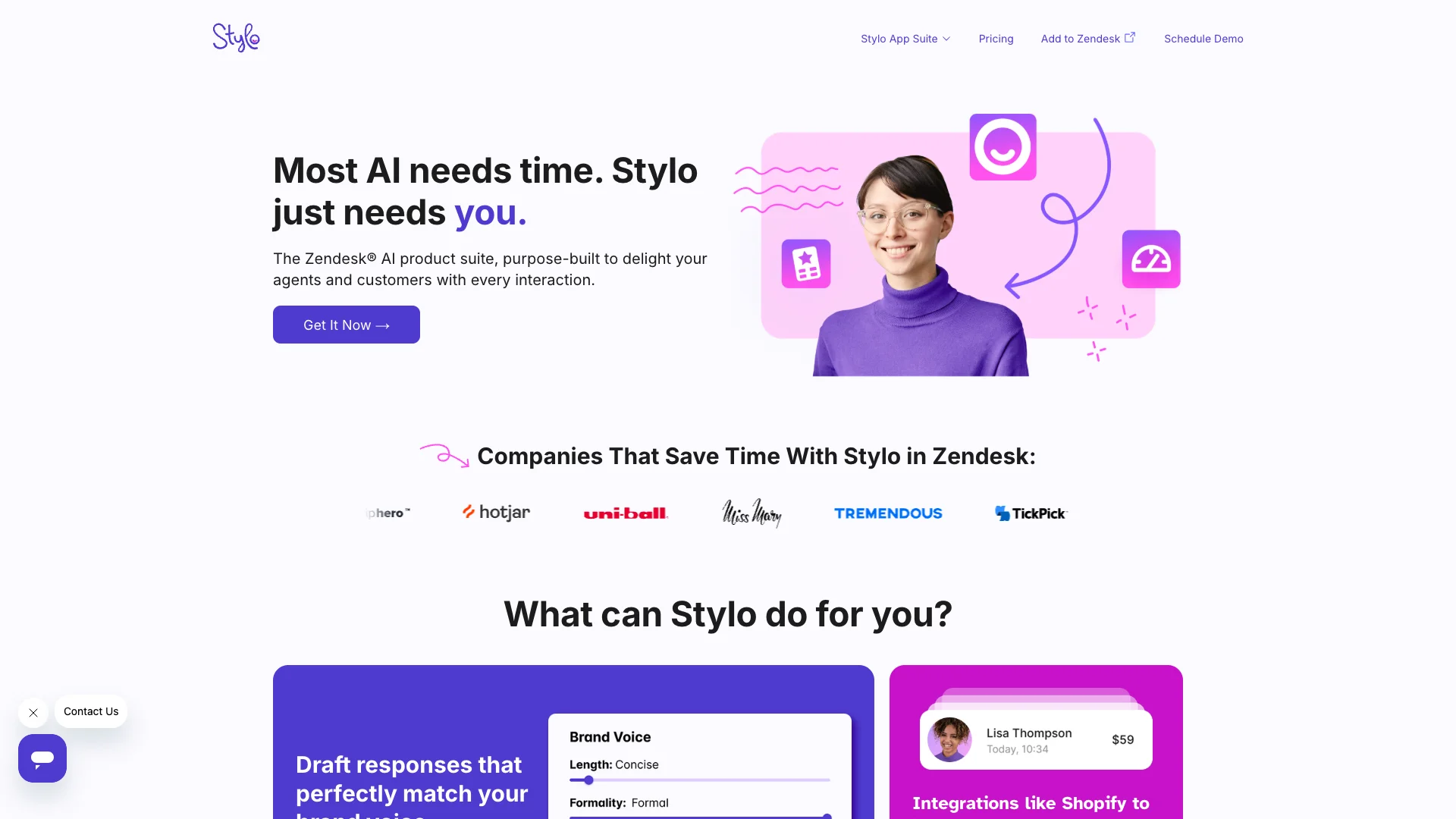
Stylo is an AI tool for Zendesk that makes customer support easier and faster. It helps agents draft quick replies in your brand's voice, translates messages, and summarizes calls. This saves time and improves how agents help customers, without needing to hire more people.

Free Option

About Stylo AI

Who It's For

This tool is for customer support teams and agents who use Zendesk. It helps companies handle customer questions more quickly and maintain high-quality, personal support interactions without needing to expand their staff.

What You Get

With Stylo, you get AI that drafts replies in your company's own voice. It can also translate conversations, summarize customer calls, and check how well your help center content works. This helps agents give insightful responses and manage tickets more effectively.

How It Works

To start, you simply add Stylo as an app in your Zendesk system. Then, when you're working on a customer ticket, you can use the Stylo icon to create AI-generated responses. You can also customize its settings to match your brand's specific tone and language. It uses information from your existing help center to provide accurate answers.
Stay in the loop

Weekly roundup of new AI agents. No spam, unsubscribe anytime.

Subscribe and get the free 2026 AI Agents Field Guide

Join 1,500+ AI builders · weekly, no spam

Features & Capabilities

🤖 Intelligent Response Generation

Brand Voice Drafting

Drafts customer responses that consistently match your company's predefined brand voice.

AI-Powered Response Enrichment

Utilizes AI to provide insightful and efficient responses, streamlining workflows.

🔗 Contextual Data & Workflow Enhancement

Third-Party Integrations

Integrates with external platforms like Shopify to provide comprehensive context for AI responses.

Call Translation & Summarization

Automatically translates, scores, and summarizes customer calls to facilitate effective ticket management.

📚 Knowledge Base & Content Optimization

AI-Driven Article Drafting

Uses AI (Scribe) to draft, translate, and improve knowledge base articles for better support.

Help Center AI Readiness Report

Provides a monthly report assessing the Help Center's suitability for AI integration.

Use Cases

Automating Customer Service Response Generation

Customer support teams often struggle with high ticket volumes and the need to maintain consistent brand messaging across all interactions. Stylo integrates with Zendesk to automatically draft on-brand, context-aware, and multilingual responses, significantly reducing agent response times, improving service quality, and enhancing the overall customer experience.

B2B SaaSFor: Customer Service Agents

Optimizing Knowledge Base Content and Performance

Many organizations face challenges in maintaining a comprehensive and effective knowledge base that truly serves both customers and agents, often leading to customers not finding answers. Stylo's Scribe and Scorecard tools help teams draft, translate, and improve help center articles, while also providing regular reports on knowledge base effectiveness, ensuring a robust and AI-ready self-service experience.

B2B SaaSFor: Knowledge Base Managers

Streamlining Customer Interaction Analysis

Customer support operations involve a high volume of calls and tickets, making it challenging for managers to quickly grasp key issues, sentiment, and necessary follow-up actions. Stylo's Voice and Scores apps translate, summarize, and score calls, alongside automating ticket categorization, allowing teams to effectively action Zendesk tickets and gain actionable insights from customer interactions to improve service quality.

B2B SaaSFor: Customer Service Managers

Frequently asked questions

Stylo for Zendesk can help with drafting support responses, translating tickets, summarizing call content, scoring knowledge base effectiveness, and automating ticket categorization.

To get started, install Stylo as an app in Zendesk, accept API access, then use the Stylo icon in the ticket editor to generate AI responses.

Yes, you can adjust phrasing, tone, and brand-specific terminology in settings; deeper customization may require API or developer input.

User access is managed through Zendesk roles and permissions, where admins can control who can train, configure, or view Stylo interactions.

If Stylo provides incorrect answers, you should review and update the underlying help center content it uses, or consult troubleshooting guides or support if problems persist.

Yes, Stylo for Zendesk supports multilingual communication and content translation.

To install Stylo AI for WordPress, first download it from the WordPress Plugin Directory, then activate it in the Plugins section of your WordPress dashboard. Next, open Appearance > Customize, and finally, start typing questions to receive AI assistance.

Tags

Specifications

Deployment
Browser
Cloud
Browser
Target Audience
Startup
Business
Complexity
Low-code

Pricing

Free plan

Per monthly

Free
  • Help Center Scorecard

Basic plan

Per monthly

$15
  • 1 Stylo App
  • Email / Live Chat Support
  • Yearly Model Tuning

Growth plan

Per monthly

$20
  • 2 Stylo Apps
  • Thank You Solve
  • Spam Detection
  • Assisted Onboarding
  • Prebuilt integrations
  • Quarterly Model Tuning
  • 100 Free Response Credits
  • 50 Free Call Summaries
  • 100,000 Free Translation Characters

Professional plan

Per monthly

$25
  • Includes all features from the Growth plan
  • Full Stylo App Suite
  • Dedicated Customer Success
  • Dedicated Machine Learning Engineer
  • Monthly Model Tuning
  • Custom Reporting
  • 150 Free Response Credits
  • 100 Free Call Summaries
  • 200,000 Free Translation Characters

Enterprise

Per monthly

Contact sales
  • Custom solution

✓ Free plan • ✓ Plans from $15 / monthly • ✓ Enterprise options

Integrations

Zendesk
Shopify
ChatGPT

Want your AI tool listed here?

Start with a free eligibility check.

Submit