Course
Give your AI a permanent memory of your business. A course for people who use ChatGPT or Claude daily.Compound Context

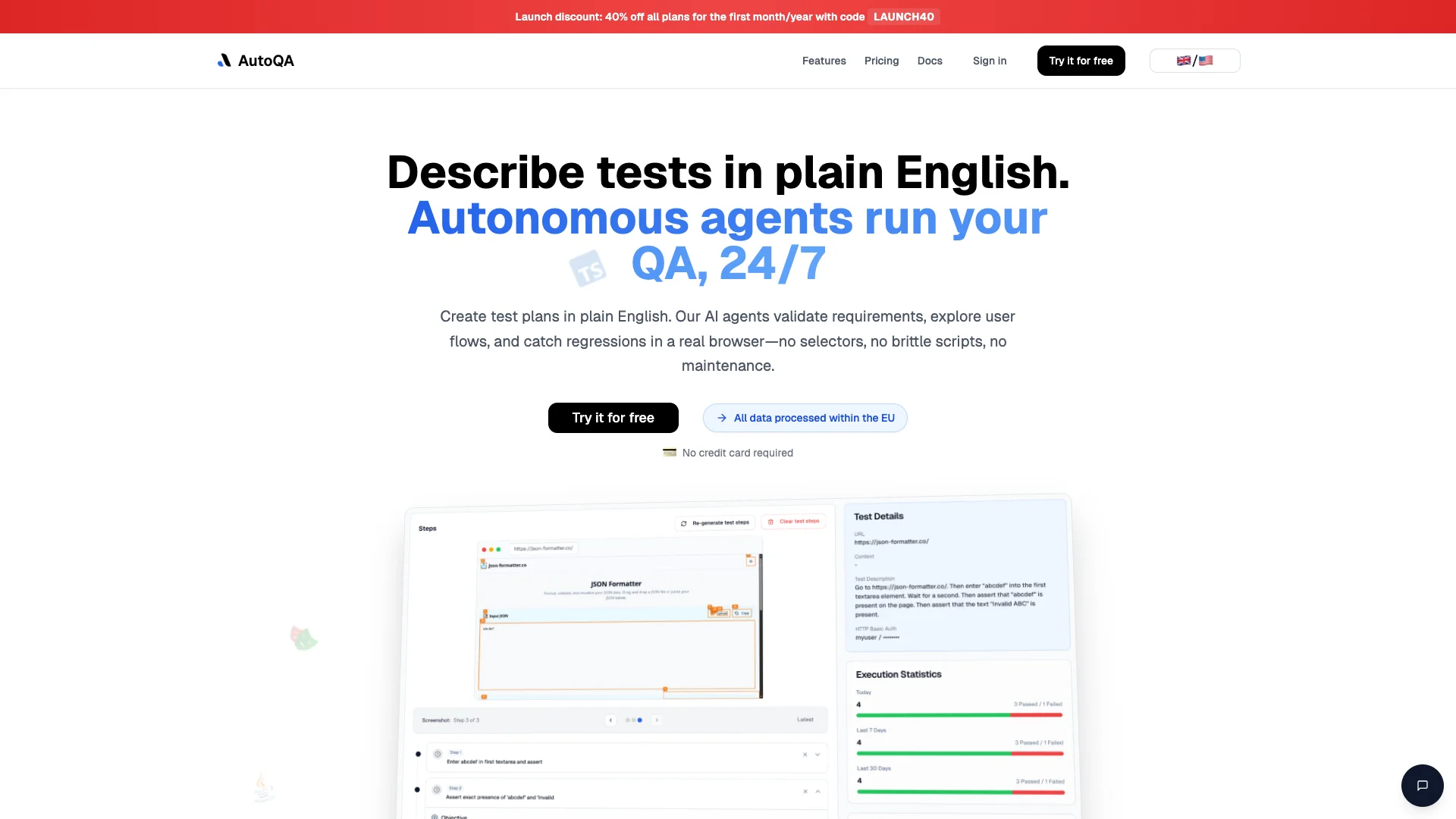
AutoQA uses smart AI agents to test your website or app automatically in a real browser. You simply tell it what to do in plain English, and it finds bugs without needing complex code, making your software more reliable and saving you time.

Free Option

About AutoQA

Who It's For

This tool is for software teams and QA professionals. It helps you release quality software faster by automating tests. If you want to avoid manual, flaky UI tests and reduce script maintenance, AutoQA simplifies your process and boosts confidence in your web application releases.

What You Get

You get automated, reliable software testing that runs 24/7. The tool finds bugs quickly and provides detailed reports, which can be sent directly to Jira. You create new tests by simply describing them in plain English, removing the need to write complex code.

How It Works

You simply describe what to test. AutoQA's AI agents understand this and interact with your app in a real browser, just like a user. It finds problems and logs them. Any bugs found are automatically reported to Jira, removing the need for fragile code selectors.
Stay in the loop

Weekly roundup of new AI agents. No spam, unsubscribe anytime.

Subscribe and get the free 2026 AI Agents Field Guide

Join 1,500+ AI builders · weekly, no spam

Features & Capabilities

🤖 AI-Powered Test Automation

Natural Language Test Plans

Create comprehensive test plans in plain English, which AI agents translate into executable steps.

Autonomous Agent Execution

AI agents explore user flows, validate requirements, and run tests in a real browser 24/7.

Visual Interaction Testing

Tests interact with the application visually, mimicking user behavior without brittle DOM selectors.

Automated Regression Catching

Proactively identifies and flags regressions early in the development cycle.

🔗 Integration & Reporting

Detailed Bug Reports

Provides comprehensive, actionable reports with specific locations of identified issues.

Jira Synchronization

Automatically imports bug reports into Jira and converts requirements from Jira tickets into tests.

🔒 Data & Infrastructure

EU Data Processing

All customer data is processed and hosted within the European Union, ensuring compliance.

Complex UI Handling

Navigates and tests dynamic UIs, multi-step flows, and authenticated areas reliably using real browsers.

Use Cases

Automating UI Regression Testing

QA and development teams often struggle with the constant maintenance and flakiness of traditional UI tests. AutoQA's autonomous AI agents resolve this by creating, executing, and maintaining robust UI tests from plain English, running them in a real browser to automatically catch regressions without relying on brittle selectors or manual scripting.

B2B SaaSFor: QA Engineers

Streamlining Bug Detection and Reporting with Jira

Manual bug detection and reporting from test runs are time-consuming and introduce delays in the development pipeline. AutoQA automatically tests applications, generates detailed reports of discovered issues, and seamlessly integrates these bug reports directly into Jira, significantly accelerating the feedback loop and ensuring critical issues are addressed quickly.

Software DevelopmentFor: QA Leads

Accelerating Software Release Cycles with Continuous AI QA

Engineering and product teams need to deliver new features rapidly and confidently, but manual testing creates bottlenecks and risks. AutoQA provides 24/7 autonomous quality assurance, turning Jira requirements into living, robust tests that run continuously, enabling early regression detection and automated reporting to accelerate release cycles and improve overall software quality.

Software DevelopmentFor: Engineering Managers

Frequently asked questions

AutoQA stands for automated quality assurance. It's an AI-powered solution that automatically assesses customer service interactions across multiple channels to evaluate agent performance and quality. Unlike traditional manual QA processes where only about 2 percent of conversations are reviewed, AutoQA provides 100 percent coverage of your support interactions, giving you a complete and unbiased overview of what's happening in customer conversations.

AutoQA evaluates interactions across all major support channels, including voice, chat, text, email, and screen capture. It handles multiple categories and languages without requiring additional resources or model training.

AutoQA typically evaluates tickets and interactions based on three key areas: resolution completeness, which assesses whether the agent provided a complete solution to the customer's problem; communication, which evaluates how well the agent communicated with the customer; and language proficiency, covering grammar, spelling, tone, and overall language quality. Some platforms also evaluate additional dimensions like technical proficiency, process adherence, soft skills (empathy, tone), and procedure compliance.

Tickets are typically scored 12 hours after they close.

Yes. Many AutoQA platforms allow you to create custom QA criteria and rubrics. You can set customized rules, define the signals that matter to your support operation (both quantitative and qualitative), and select weightage for scoring to align with your business needs.

Absolutely. If you or another reviewer disagree with how AutoQA scored a ticket or interaction, you can always manually edit and override any aspect of the score. Your manual changes will be reflected in your AutoQA reports.

Yes. AutoQA scores the quality of all support interactions across both human and AI agents. Some platforms separate and track AI agent interactions independently from human agent interactions so you can evaluate them separately.

The 'Solution' category identifies whether an agent offered a solution to the customer's problem. However, it's important to note that AutoQA does not discern whether the solution was the *correct* solution—only that one was offered. You have the option to manually override scores if a solution doesn't align with your internal standards.

Data protection varies by platform. For example, platforms using OpenAI's GPT-4o process your data under a strict Data Processing Agreement (DPA) with a zero retention policy, meaning your data is never used to train their AI models.

The behavior when merging tickets can vary depending on your AutoQA platform—check your specific platform's documentation for guidance on this scenario.

Yes. Many AutoQA platforms use generative AI to provide customized feedback and coaching for both managers and agents based on individual performance metrics, including tone, empathy, and procedure adherence. This helps teams improve their skills and customer service delivery faster.

AutoQA can access historical data spanning 1.5 to two years, which helps AI models learn your support patterns and improve predictions and recommendations.

Leading AutoQA platforms use best-in-class calibration and leverage advanced rule definitions with drag-and-drop interfaces to ensure accuracy, consistency, and reliability. Calibration features help keep automations precise and allow QA teams to focus on more nuanced and complex evaluations.

Tags

Specifications

Deployment
Browser
Cloud
Target Audience
Individual
Startup
Business
Complexity
No-code

Pricing

Free

Per monthly

Free
  • All core features
  • 5 test plans total
  • 10 test runs per month

Starter

Per monthly

$13.99
  • All core features
  • 100 test plans total
  • 200 test runs per month

Advanced

Per monthly

$24.99
  • All core features
  • Unlimited test plans total
  • 500 test runs per month

Ultimate

Per monthly

$34.99
  • All core features
  • Unlimited test plans total
  • 1000 test runs per month

✓ Free plan • ✓ Plans from $13.99 / monthly

Integrations

Jira

Want your AI tool listed here?

Start with a free eligibility check.

Submit