Course
Give your AI a permanent memory of your business. A course for people who use ChatGPT or Claude daily.Compound Context

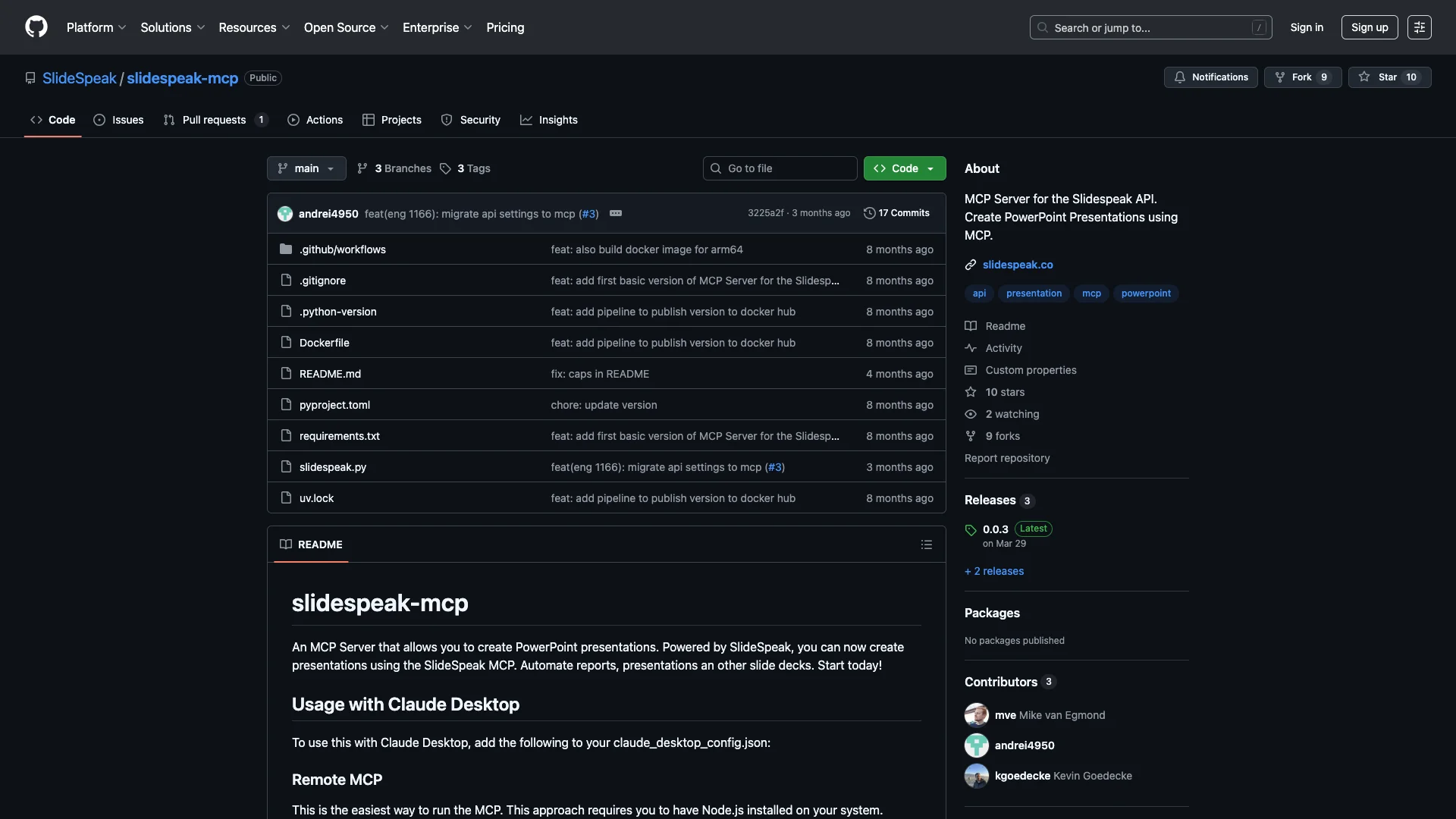
SlideSpeak is an AI tool that automatically creates PowerPoint presentations from your content, like documents or websites. It simplifies the process by extracting key information and formatting it into professional slides, helping you make presentations much faster.

Free Option

About SlideSpeak

Who It's For

This tool suits anyone who needs to make presentations fast, such as reports or slide decks. It helps professionals save time by creating polished slides without extensive manual effort.

What You Get

You get AI-generated PowerPoint slides from your content, like documents or websites. You can customize text, images, and even use branded templates. The tool also summarizes documents and lets you chat with your uploaded files.

How It Works

Simply input your content, perhaps a topic, document, or website link. Then, select a presentation template. The AI quickly scans your data, extracts key points, and builds structured slides. You can then make final adjustments in the editor.
Stay in the loop

Weekly roundup of new AI agents. No spam, unsubscribe anytime.

Subscribe and get the free 2026 AI Agents Field Guide

Join 1,500+ AI builders · weekly, no spam

Features & Capabilities

⚙️ Presentation Automation

PowerPoint Generation

Create new PowerPoint presentations programmatically using the Slidespeak API.

Automated Slide Decks

Automate the creation of various slide decks, including reports and general presentations.

🔗 Integration & Deployment Options

Claude Desktop Compatibility

Seamlessly integrate and utilize the MCP server within Claude Desktop environments.

Containerized Deployment

Deploy the MCP server using Docker for robust and portable local or remote execution.

Remote API Access

Utilize the MCP server as a remote API endpoint for flexible access and integration.

Use Cases

Automating Sales and Marketing Presentation Creation

Sales and marketing professionals often spend valuable time manually crafting presentations from various sources, struggling with brand consistency. SlideSpeak allows them to quickly generate professional, on-brand presentations for proposals, pitches, or campaigns by simply inputting content and leveraging custom templates, significantly speeding up their workflow.

B2B Sales, Marketing, SaaSFor: Account Executive, Marketing Specialist, Sales Development Representative

Accelerating Report and Proposal Development

Consultants and analysts frequently need to distill complex reports, research, or project documentation into clear, presentable formats. SlideSpeak streamlines this process by ingesting lengthy documents (Word, PDF, web content), summarizing them, and instantly generating structured, professional slide decks, enabling rapid creation of client-ready materials.

Consulting, Financial Services, Business AnalysisFor: Consultant, Business Analyst, Project Manager

Streamlining Internal Communications and Training

Managers and team leads require efficient ways to create internal update decks, meeting summaries, or training materials under tight deadlines. SlideSpeak enables immediate presentation generation from a topic or existing document, allowing professionals to focus on content delivery rather than time-consuming design and formatting.

Corporate, Human Resources, OperationsFor: Team Lead, Department Manager, Trainer

Integrating AI-Powered Presentation Generation into Custom Applications

Software developers and IT teams aim to embed AI-driven presentation capabilities directly into their internal tools, CRMs, or document management systems. The SlideSpeak MCP Server and API provide the infrastructure to programmatically automate the creation of reports, proposals, or other slide decks from structured data, enhancing existing workflows.

Software Development, IT, Enterprise SolutionsFor: Software Developer, IT Administrator, System Integrator

Frequently asked questions

SlideSpeak is an AI-powered platform that helps you create and manage presentations and documents. It uses artificial intelligence technology, powered by ChatGPT models, to generate presentations from various sources including text, websites, PDF files, Word documents, and PowerPoint files.

The platform follows a straightforward three-step process: first, you input content by describing a topic or uploading a document (Word, PDF, PowerPoint, or website URL); second, you select a template from available options or upload your own PowerPoint template; and third, you edit and refine using the AI presentation editor until you're satisfied. SlideSpeak scans your content, extracts relevant information while filtering out menus, ads, and clutter, and then the AI organizes this content into logically structured slides with clear hierarchy and professional formatting.

You can upload Word documents (.docx), PDF files, PowerPoint presentations (.pptx), website content (by URL), and other document formats.

Yes, SlideSpeak provides basic customization options. You can edit text, adjust tone and length, add new slides, update images, and modify templates directly inside the editor using the AI assistant called Charles. However, for more in-depth changes or brand alignment, you may need to consider additional refinement.

Yes. Premium users can upload their own company's PowerPoint template (announced in April 2024). The AI then generates all new presentations adhering to that specific branding, including fonts, colors, logos, and layouts.

SlideSpeak operates on a freemium model. There is a free version available that allows you to create your first AI-powered presentation in under 5 minutes. The platform also offers paid plans with additional features.

SlideSpeak uses ChatGPT-powered technology to generate coherent and professionally structured slides. The platform is trained on presentation best practices and uses cutting-edge AI models to ensure quality output.

Yes. SlideSpeak has an AI Summarizer feature that can summarize entire documents with high accuracy, including PowerPoint presentations, Word documents, and PDFs.

Beyond summarization, SlideSpeak allows you to upload documents and ask questions about their content through an AI chatbot interface. This helps you guide the AI before generating the final presentation.

The process is almost instantaneous, depending on the document's size. SlideSpeak can speed up presentation workflows by up to 5x compared to manual creation.

Currently, SlideSpeak does not support direct team collaboration within the platform.

SlideSpeak provides customer support via live chat or email. The support is primarily handled by an AI chatbot, with limited human contact compared to some alternatives.

Yes, creating an account is required to access SlideSpeak's features.

SlideSpeak is currently available as a web-based tool and can be accessed through any browser.

SlideSpeak can be used for professional purposes, though it's primarily suited for quick presentation generation. While it generates professional-looking results, it relies on standard templates and may offer less creative flexibility than human design services for highly brand-specific projects.

Tags

Specifications

Deployment
API
Self-hosted
Cloud
Browser
Target Audience
Individual
Startup
Business
Complexity
Developer

Pricing

Free

Per monthly

Free
  • Unlimited public/private repositories
  • Dependabot security and version updates
  • 2,000 CI/CD minutes/month (Free for public repositories)
  • 500MB of Packages storage (Free for public repositories)
  • Issues & Projects
  • Community support
  • GitHub Copilot Access
  • GitHub Codespaces Access ($0 spend limit)
  • Code reviews
  • Pull requests
  • Repository rules (Public repositories)
  • Code owners (Public repositories)
  • Draft pull requests (Public repositories)
  • Multiple pull request assignees (Public repositories)
  • Repository insights (Public repositories)
  • Scheduled reminders (Public repositories)
  • Automatic code review assignment (Public repositories)
  • Milestones
  • Team discussions
  • Organization and team management
  • Pages and Wikis (Public repositories)
  • Multiple issue assignees (Public repositories)
  • Unlimited Collaborators for public repositories
  • Unlimited Collaborators for private repositories

Team

Per monthly

$4
  • Includes all features from the Free plan
  • Access to GitHub Codespaces (with policies and controls, ability to increase spend limit)
  • Repository rules (enforce restrictions on how code branches and tags are merged across your organization)
  • Multiple reviewers in pull requests
  • Required reviewers
  • Pages and Wikis (host documentation and simple websites for your project)
  • Environment deployment branches and secrets
  • 3,000 CI/CD minutes/month (Free for public repositories)
  • 2GB of Packages storage (Free for public repositories)
  • Web-based support
  • GitHub Secret Protection (Push protection, Secret scanning, Provider patterns, Provider notification, Validity checks, Copilot secret scanning, Generic patterns, Custom patterns, Push protection bypass controls, Insights in security overview, Scan history API)
  • GitHub Code Security (Copilot Autofix, Third party extensibility for code scanning alerts, Contextual vulnerability intelligence and advice, CodeQL, Security campaigns, Dependency graph, Dependency review action, Dependabot custom auto-triage rules, Dependabot security updates with grouped updates, Dependabot version updates, Insights in security overview)
  • Platform security and compliance (Repository rules, SBOMs, Artifact attestations, GitHub Security Advisories, Role-based access control, Required 2FA, Audit log)
  • Collaborators for private repositories (paid access)

Enterprise

Per monthly

$21
  • Includes all features from the Team plan
  • Data residency (regional cloud deployment for data residency)
  • Enterprise Managed Users (own and control user accounts through IdP)
  • User provisioning through SCIM (automatically invite/remove members)
  • Enterprise Account (centrally manage multiple organizations)
  • Environment protection rules (workflow job won't start until rules pass)
  • Repository rules (enforce branch/tag protections, push rules across enterprise, rule insights)
  • Audit Log API (access log events using GraphQL API)
  • SOC1, SOC2, type 2 reports annually
  • FedRAMP Tailored Authority to Operate (ATO)
  • SAML single sign-on (use IdP to manage identities)
  • Advanced auditing (review actions, secure IP, compliance)
  • GitHub Connect (share features between Server and Cloud)
  • 50,000 CI/CD minutes/month (Free for public repositories)
  • 50GB of Packages storage (Free for public repositories)
  • Premium support (30-minute SLA on Urgent tickets, 24/7 web and phone support)
  • Invoice billing
  • Self-hosted deployment (Enterprise Server)
  • IP allow list (Enterprise Cloud)
  • LDAP

✓ Free trial • ✓ Free plan • ✓ Plans from $4 / monthly • ✓ Enterprise options

Integrations

Claude Desktop
Docker
Node.js
Docker Hub
GitHub Actions

Want your AI tool listed here?

Start with a free eligibility check.

Submit