Course
Give your AI a permanent memory of your business. A course for people who use ChatGPT or Claude daily.Compound Context
Simplescraper logo

Simplescraper

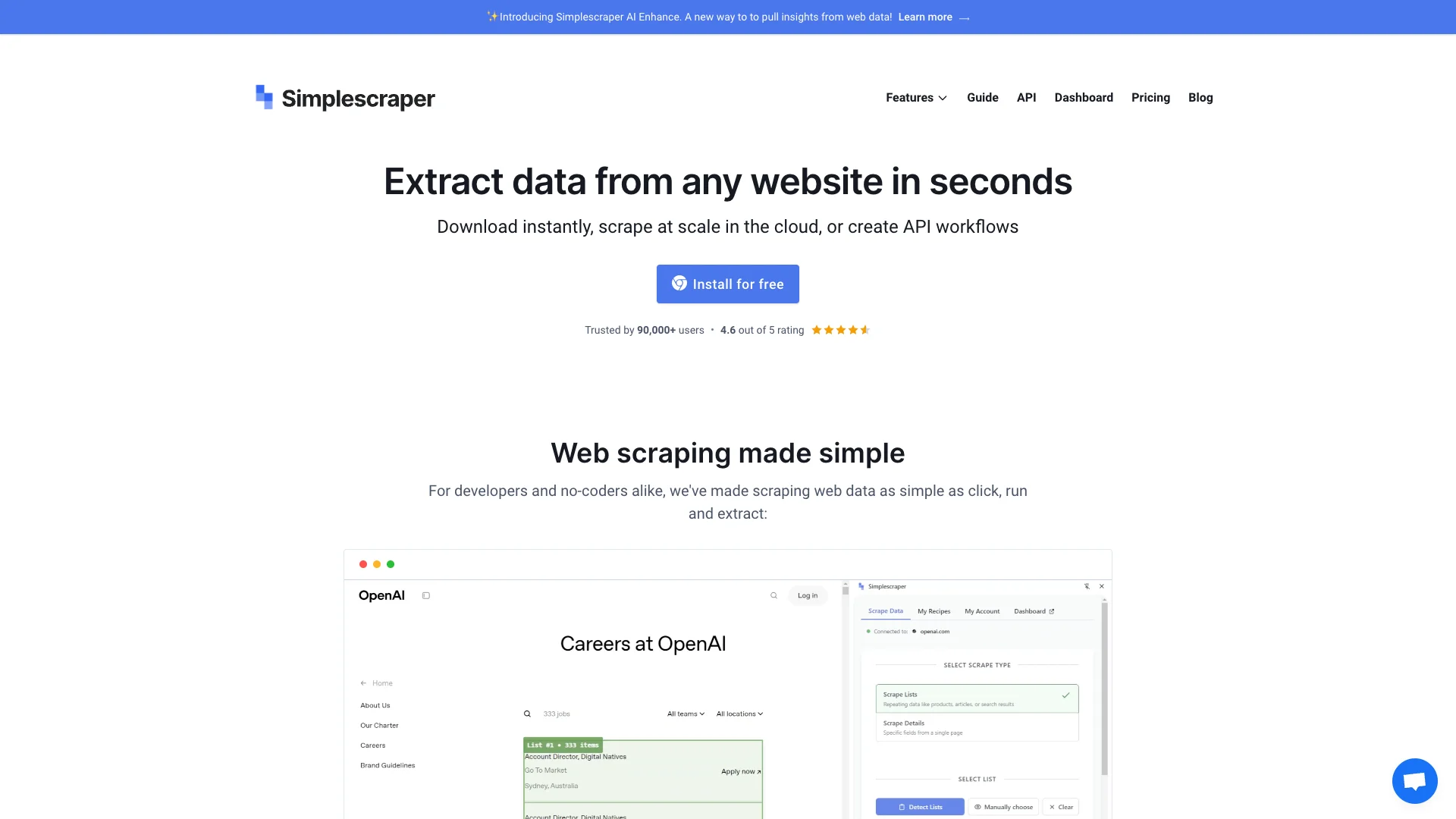
SimpleScraper AI helps you get data from any website using just a URL and what you want to find. It then uses artificial intelligence to automatically summarize, analyze, and format this data, adding valuable insights directly to your results, making your extracted information much more useful.

About Simplescraper

Who It's For

People who need to gather specific information from websites but don't want to deal with complex coding. It's great for anyone who wants to quickly extract data and then have AI help them understand or organize it, like for research or business insights.

What You Get

You get the ability to pull data from almost any website, even complex ones or those needing a login. Beyond just getting the raw data, the tool uses AI to summarize, analyze, clean, and format your information. This adds deeper meaning and extra organized details to your collected data.

How It Works

You can start by simply providing a website URL and telling the AI what data you need, and it creates a "recipe" to scrape it. You can also use a Chrome extension to visually select data. Once collected, you tell the AI what to do with the data (like summarize or analyze it), and it adds the enhanced results. You can also automate these tasks and send data to other tools.
Stay in the loop

Weekly roundup of new AI agents. No spam, unsubscribe anytime.

Subscribe and get the free 2026 AI Agents Field Guide

Join 1,500+ AI builders · weekly, no spam

Features & Capabilities

✨ Smart Data Extraction

URL-based Scrape Recipe Generation

Generates data extraction recipes for any website using only a URL and a brief description of desired data.

Use Cases

Automating Competitive Market Analysis

Businesses struggle to efficiently gather and analyze competitor data, pricing, and product reviews from numerous online sources. SimpleScraper AI automates the extraction of this critical market intelligence and uses AI to summarize review sentiment, identify key product features, and uncover competitor strategies, providing actionable insights for strategic decision-making.

E-commerceFor: Market Analyst

Streamlining Sales Prospecting and Intelligence Gathering

Sales teams often spend excessive time manually researching prospects and companies, leading to slower outreach. SimpleScraper AI can extract company details, industry news, and relevant professional profiles from various websites. The AI then processes this data to summarize key insights or identify specific pain points, equipping sales development representatives with personalized and compelling information for more effective engagement.

B2B SalesFor: Sales Development Representative

Accelerating Content Curation and Trend Spotting

Content creators and marketers face the challenge of consistently finding relevant and trending topics, as well as curating articles from diverse online sources. SimpleScraper AI automates the scraping of industry news, blog posts, and forum discussions, then leverages AI to summarize key content, extract dominant themes, or identify emerging trends, significantly speeding up content ideation and research.

Digital MarketingFor: Content Marketer

Automating Web Data Integration for Business Intelligence

Organizations need up-to-date external data for robust business intelligence, but manual collection and integration into existing systems are resource-intensive. SimpleScraper AI extracts, cleans, and formats specific web data points, such as job postings or public financial disclosures, and can schedule automated scrapes. This enhanced data is then directly integrated into BI dashboards or internal databases via webhooks or API, empowering data-driven decision-making.

Business IntelligenceFor: Data Analyst

Frequently asked questions

SimpleScraper AI is an extension of SimpleScraper’s web scraping tool that uses Artificial Intelligence to enhance scraped data by enabling automatic summarization, analysis, formatting, and extracting meaning directly from the scraped datasets. This enhanced data is added as an additional column to your scrape results.

There are several steps to using the AI Enhance feature. First, select a run mode: Automatic, where AI Enhance runs automatically after each scrape before integration, or Manual, where you manually trigger it via a "Run AI" button for selective application, which does not auto-trigger integrations. Next, choose an AI prompt, either predefined ones like "Summarize text" or custom prompts for specific tasks. Then, perform data selection by choosing which scraped data properties the AI should analyze or excluding irrelevant ones. Generate an example to test the AI output with a sample row and verify the expected results before running on full data. Finally, trigger the AI by clicking ‘Run AI’ to process your scraped data and see AI-enhanced results added to your dataset.

SimpleScraper can perform various AI tasks, including automatic summarization of texts or comments, analysis and extraction of insights, data formatting and cleaning, and answering questions about the scraped data via AI.

To get started with SimpleScraper, you can use the Chrome extension to visually select and scrape data from websites, or use Smart Extract by providing URLs and data points you want, which allows AI to generate scraping recipes. Alternatively, you can use or customize prebuilt scrape recipes or have SimpleScraper build a solution for you.

Scrape recipes are reusable instructions on how to extract data from a website. You can create, save, edit, and duplicate these recipes through the dashboard or Smart Extract AI functionality.

Yes, SimpleScraper supports scraping content behind logins and from complex pages, but some manual setup or customized recipes may be required.

Scraping is responsibly rate-limited to simulate normal browsing behavior and avoid server overload. An individual scrape job is designed to be moderate, suitable for small to medium jobs.

Yes, you can schedule scrapes to run automatically in the cloud. Data can be sent directly to Google Sheets, Airtable, or through webhooks to tools like Zapier and Make (Integromat). This automation supports a smooth data workflow.

Yes, SimpleScraper provides a REST API to manage scrape recipes, run scraping jobs, and retrieve data programmatically. It requires an API key for authentication.

To migrate data or recipes from other scraping tools, export your data from those tools in CSV or JSON format and import it into SimpleScraper’s system or connected applications. Then recreate or customize scrape recipes in SimpleScraper’s platform for your scraping workflows.

Support is provided via official documentation, FAQs, and online help centers. Direct assistance can be sought via email or contact forms. Community support exists mainly in third-party forums and web scraping groups.

Yes, the tool gets frequent updates for improved stability, new features including AI enhancements, and compatibility with changing website structures. Users get update notifications via the dashboard and browser extension.

Tags