Course
Give your AI a permanent memory of your business. A course for people who use ChatGPT or Claude daily.Compound Context
Elastic Email MCP Server logo

Elastic Email MCP Server

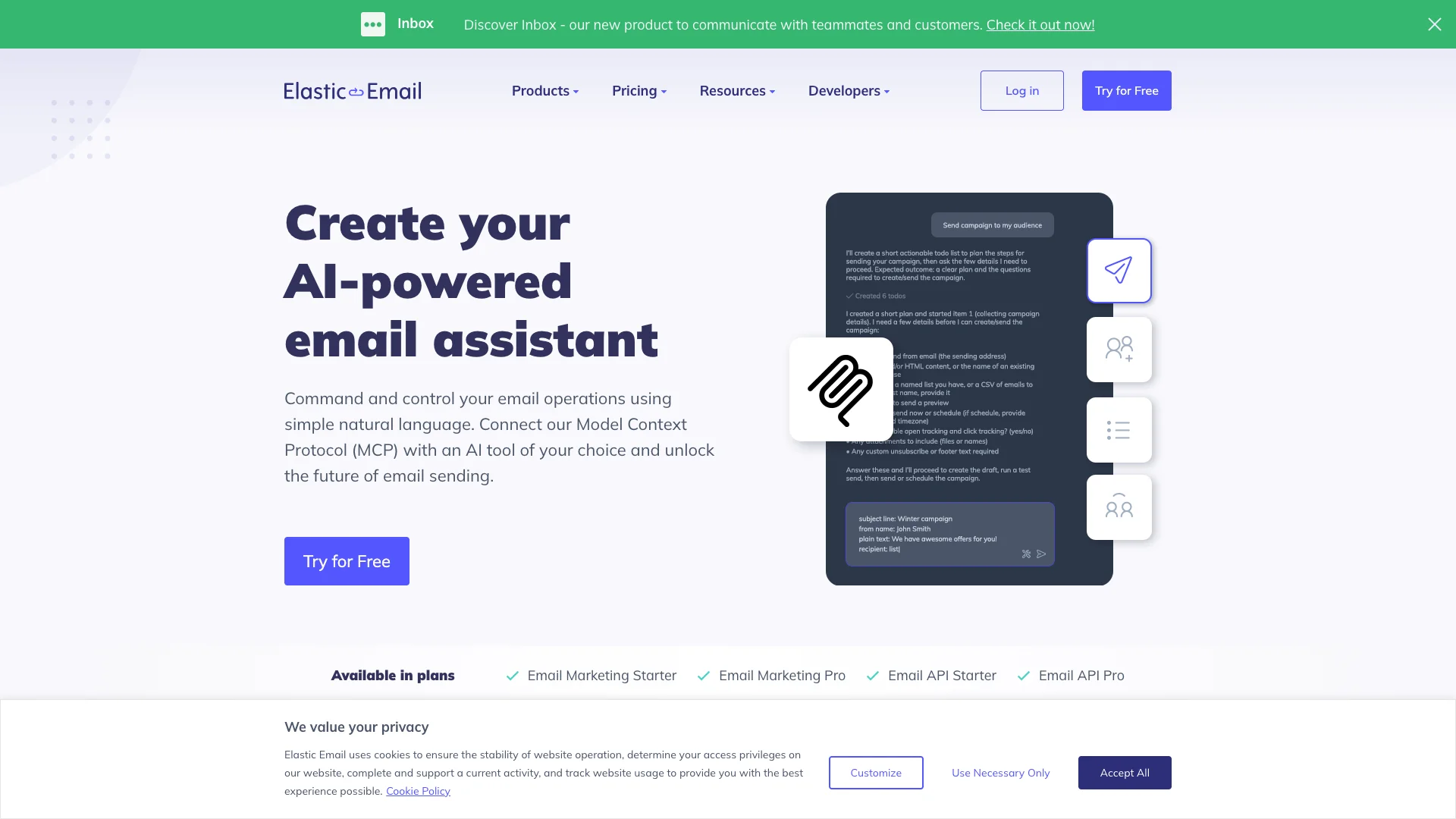
This tool connects your AI assistant (like ChatGPT) directly to your email account. Now you can manage all your email tasks, from sending campaigns to managing contacts, simply by telling the AI what you want in plain English. It removes the need for complex dashboards or coding.

About Elastic Email MCP Server

Who It's For

This tool is for anyone who wants to manage emails using AI, without needing technical skills. It's perfect for connecting your existing AI tools to your email marketing for simpler, faster control.

What You Get

You get a personal AI email assistant. It lets you create, send, and manage campaigns with simple commands. You can also add contacts, organize lists, and retrieve email data. No complex dashboards are needed.

How It Works

Connect your AI tool (like ChatGPT) to your Elastic Email account. Make sure your AI has "agent mode." Create an API key from your email account and give it to your AI with the server address. Then, tell the AI what email tasks to do in plain language, and it handles the rest.
Stay in the loop

Weekly roundup of new AI agents. No spam, unsubscribe anytime.

Subscribe and get the free 2026 AI Agents Field Guide

Join 1,500+ AI builders · weekly, no spam

Features & Capabilities

🤖 AI Assistant Core Capabilities

Natural Language Email Control

Enables command and control over email operations using simple natural language commands.

LLM Conversational Control

Leverage your Large Language Model (LLM) to gain conversational control over your email operations.

Prompt-to-API Translation

AI agents automatically translate natural language requests into executable API calls.

MCP Server AI Engine

The Model Context Protocol (MCP) server acts as the core engine connecting AI agents to Elastic Email data.

⚙️ AI Agent Integration & Setup

AI Agent Compatibility

Supports choosing and connecting any MCP-compatible AI agent that supports ‘agent mode’.

Secure API Key Generation

Allows generating dedicated API keys from your Elastic Email account for secure MCP access.

Agent Mode Configuration

Provides a simple process to configure AI agents with the MCP server URL and generated API key.

Connection Testing & Verification

Enables users to perform basic checks to confirm the AI agent and MCP connection are running smoothly.

Use Cases

Automating Email Campaign Operations

Marketing professionals often struggle with the manual effort of creating, updating, and managing email campaigns across different platforms. The Elastic Email MCP server empowers AI agents to execute campaign-related tasks, like launching new campaigns or modifying existing ones, using simple natural language commands, significantly boosting efficiency and reducing operational overhead for marketing teams.

B2B SaaSFor: Email Marketing Manager

AI-Powered Contact and Audience Management

Marketers and sales teams frequently face challenges in efficiently managing large contact databases and segmenting audiences for targeted outreach. With the Elastic Email MCP, an AI agent can quickly add new contacts, upload lists, and create precise segments using conversational commands, ensuring messages reach the right audience without manual data handling or complex filtering setup.

B2B SaaSFor: Marketing Analyst

Expedited Email Dispatch for Urgent Communications

Sending urgent transactional emails or large-scale bulk communications typically involves navigating complex interfaces or scripting API calls, which can delay critical messages. The Elastic Email MCP allows users to instruct an AI agent to send both individual and bulk emails using natural language, enabling rapid and effortless delivery for time-sensitive marketing campaigns and operational notifications.

E-commerceFor: Customer Support Specialist

Conversational Data Retrieval for Email Analytics

Retrieving specific data points such as contact details, campaign performance metrics, or existing email templates from an email service provider can be a time-consuming manual process. The Elastic Email MCP integrates with AI agents to enable users to fetch any required data, including contacts, lists, segments, and templates, through simple natural language queries, making reporting and analysis more efficient for business intelligence.

MarketingFor: Business Intelligence Analyst

Frequently asked questions

The Elastic Email MCP (Model Context Protocol) Server is an integration that connects AI agents directly to your Elastic Email account, allowing you to manage email operations through natural language commands. Instead of navigating through dashboards or writing complex API calls, you simply describe what you want to achieve, and the AI agent translates your requests into the appropriate actions.

The Elastic Email MCP Server works with various AI agents including GitHub Copilot, ChatGPT, Claude, and other MCP-compatible assistants. Your chosen chat environment or agent must support external integrations via the Model Context Protocol and specifically support "agent mode," which enables the AI to interact programmatically with external services.

No. The Elastic Email MCP Server is designed to be user-friendly without requiring extensive technical knowledge. The setup involves just a few straightforward steps: creating an API key, configuring your AI tool, and providing the server credentials.

The Elastic Email MCP Server enables several key functionalities including campaign management, which allows you to create, update, pause, or list email campaigns with natural language commands. It also supports email sending to effortlessly send both transactional and bulk emails to individual contacts or multiple recipients, and contact management to add contacts to lists, upload contacts, or retrieve individual contacts or entire contact lists. Furthermore, it facilitates list and segment management to create lists and segments for precise audience targeting, and data retrieval to access and fetch contacts, lists, segments, and templates from your account.

Setting up the Elastic Email MCP Server involves four simple steps: first, ensure your chosen chat environment supports "agent mode"; second, create an API key from your Elastic Email account settings for MCP access; third, provide your AI agent with the MCP server URL and the generated API key; and finally, perform basic checks to confirm everything is set up and running smoothly.

Yes. The Elastic Email MCP Server utilizes the Model Context Protocol, an open standard designed to enable AI applications to securely connect with external tools and data sources while maintaining robust security and proper authentication. The setup requires API keys for authentication, ensuring that your AI agents can safely access and control your email operations.

When you request to create and send a campaign, the AI agent will confirm necessary requirements such as the campaign name, email subject, email content (in plain text or HTML format), and the sender email address. The agent can also handle optional attachments or delivery schedule options.

Tags