Course
Give your AI a permanent memory of your business. A course for people who use ChatGPT or Claude daily.Compound Context

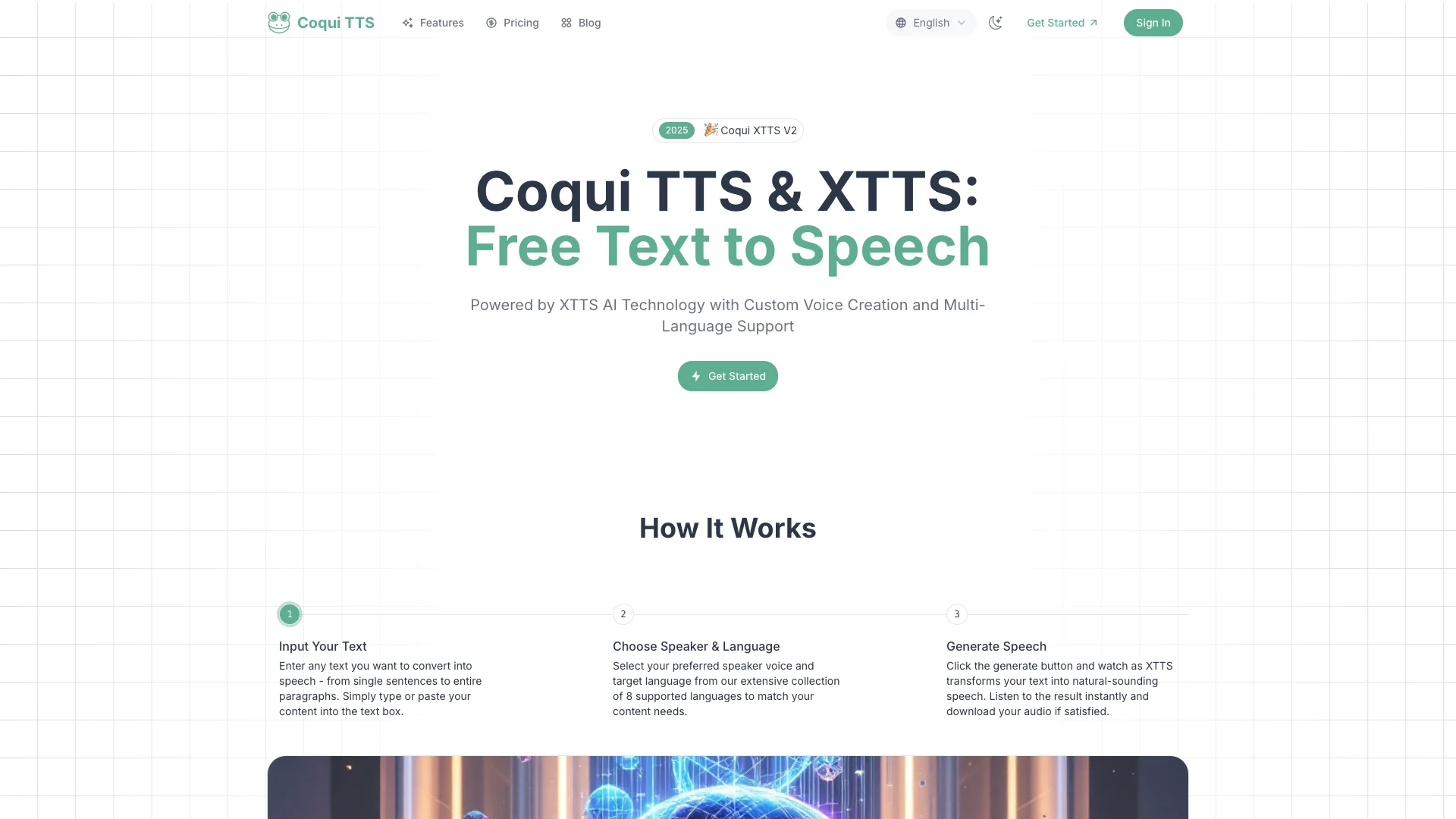
Coqui TTS uses advanced AI to turn your text into natural-sounding speech. It can even clone a voice from just a 10-second audio sample, letting you create custom voices and speak in multiple languages. You get real-time generation and high-quality audio downloads for many uses.

Free Option

About Coqui TTS

Who It's For

Coqui TTS is for anyone who needs custom, natural-sounding voices. This includes people making AI companions, educational lessons, or video game characters. Businesses can also use it for customer service, healthcare support, or to help users with visual impairments read digital content.

What You Get

You get realistic voices from your text. You can clone any voice from a short audio clip (as little as 10 seconds) and make it speak in different languages. You can also control how the voice sounds, like its speed and emotion. The audio is high-quality and ready to download or share instantly.

How It Works

Coqui TTS uses a smart AI technology called XTTS. You simply type in your text, and the AI turns it into speech. It uses a special neural network to make the voices sound very natural and human-like. This technology lets you easily create and control many different voices in real-time.
Stay in the loop

Weekly roundup of new AI agents. No spam, unsubscribe anytime.

Subscribe and get the free 2026 AI Agents Field Guide

Join 1,500+ AI builders · weekly, no spam

Features & Capabilities

⚙️ Core Voice Synthesis

Rapid Voice Cloning

Replicate voices quickly from just 10-second audio samples.

Custom Voice Creation

Design and customize unique vocal personas tailored to specific needs.

Advanced Voice Control

Gain granular control over voice characteristics including pace, emotions, and vocal nuances.

Real-Time Voice Generation

Synthesize and process speech instantly for applications requiring immediate audio feedback.

💾 Output & Accessibility

Instant Audio Download & Sharing

Download generated audio files instantly or share them directly across platforms.

High-Quality WAV Export

Export synthesized speech in WAV format, ensuring the best possible audio quality.

Multi-Language Support

Supports 8 languages, including English, Spanish, French, German, Arabic, Korean, and Japanese.

Accessibility Aid

Offers voice solutions to enhance digital content accessibility for users with visual impairments or reading difficulties.

🚀 Industry Applications

AI Assistant Voice Enhancement

Create natural-sounding voices for personal AI companions, smart home devices, and digital assistants.

Educational Content Narration

Facilitate interactive and engaging educational content delivery for diverse learners.

Video Game Character Voicing

Generate dynamic and realistic character voices and dialogues to elevate the gaming experience.

Customer Service Voice Solutions

Improve automated support systems with human-like interactions, enhancing customer satisfaction.

Use Cases

Enhancing AI Assistant and Smart Device Voices

AI assistants and smart devices often lack personality due to generic voices. Coqui TTS, powered by XTTS, enables developers to create highly natural, custom, and emotionally expressive voices, significantly enhancing user experience and engagement in smart home and digital assistant applications.

TechnologyFor: AI Developers

Delivering Human-like Customer Service Voice Solutions

Businesses struggle with automated customer service that sounds robotic, leading to customer frustration. Coqui TTS provides the capability to integrate human-like, customizable voices with advanced emotion control into automated support systems, improving customer satisfaction and efficiently scaling customer interactions.

Customer ServiceFor: Customer Service Managers

Producing Engaging and Accessible Educational Content

Online learning platforms need dynamic and inclusive content for diverse learners. Coqui TTS enables educators and content creators to narrate educational materials with natural-sounding, multi-language voices, simultaneously serving as a crucial accessibility aid for individuals with visual impairments or reading difficulties by converting text into speech.

EdTechFor: Educators

Generating Dynamic Voices for Video Games and Multimedia

Game developers and multimedia producers face challenges in creating realistic and diverse character voices, especially for multi-language localization. Coqui TTS with XTTS offers rapid voice cloning, advanced voice control, and multi-language support to generate immersive character dialogues and narrations, elevating the overall gaming and content experience.

GamingFor: Game Developers

Establishing a Unique Brand Voice for Digital Marketing

Brands seek to create a consistent and recognizable audio identity across all digital touchpoints. Coqui TTS allows marketing teams and content creators to design custom vocal personas or clone existing voices, providing a unique and personalized voice for marketing materials, social media content, and brand messaging, fostering stronger brand recognition.

MarketingFor: Brand Managers

Frequently asked questions

Coqui TTS is an open-source, AI-powered text-to-speech (TTS) library that enables advanced voice synthesis. It supports over 1,100 languages and offers tools for training, fine-tuning, and deploying custom TTS models.

XTTS is Coqui’s flagship TTS model, known for its ability to generate high-quality, natural-sounding speech and perform rapid voice cloning from short audio samples (as little as 5–10 seconds). It supports multi-language synthesis and voice cloning.

XTTS can clone a voice from a short audio sample (as little as 5–10 seconds). The voice cloning process is language-independent, meaning you can clone a voice using a sample in one language and synthesize speech in another. Voice cloning is available for both personal and commercial use, depending on licensing.

Yes. XTTS can synthesize speech in multiple languages using a single voice clone. For example, you can provide a voice sample in German and generate speech in English, Chinese, Arabic, etc.

Yes. XTTS can handle foreign words and mixed-language sentences, though pronunciation accuracy depends on the speaker’s familiarity with the language and the quality of the training data.

You can install Coqui TTS via pip using `pip install TTS`. To run with default models, use `tts --text "Hello world" --out_path output.wav`. For advanced usage, refer to the Quick Start Guide and official documentation.

Coqui TTS supports WAV, MP3, and FLAC as input formats. The primary output format is WAV; for other formats, audio conversion tools should be used.

Yes, Coqui TTS provides tools for training new models from scratch, fine-tuning existing models with your own data, and curating and analyzing datasets.

A good TTS dataset requires high-quality audio recordings with clear and minimal background noise, accurate transcripts, diverse speech patterns and phonemes, and sufficient duration, typically several hours for robust models.

To choose the right model, consider the language, speaker count, and desired voice quality. You should use the model table in the documentation to match your needs, and for voice cloning, use XTTS.

To resolve errors with pre-trained models, ensure you are using the correct version of Coqui TTS for your model and check the model table for version compatibility. If issues persist, consult the GitHub Discussions or open an issue with detailed error information.

Yes, but licensing depends on the specific model and use case. Some models are free for commercial use, while others may have restrictions. Always check the license for your chosen model.

Common training issues include memory crashes where models may exceed GPU capacity, attention misalignment where models fail to learn proper word-sound relationships, overfitting where models perform well on training data but poorly on new text, and silent outputs where trained models produce no audio.

You can improve voice quality by using high-quality training data, using longer reference samples for voice cloning, choosing the appropriate model architecture, and applying post-processing audio enhancement techniques.

The community releases updates quarterly, but major model improvements are less frequent.

You can ask questions or get help on GitHub Discussions, Official Documentation, and Community Forums.

The minimum hardware requirements are a modern CPU and 8GB RAM for basic inference, while recommended hardware includes a GPU with 8GB+ VRAM for training and high-quality synthesis.

Yes. Fine-tuning pre-trained models with your data often produces better results than training from scratch.

The limitations of Coqui TTS include some pre-trained models producing artifacts or robotic sounds, non-English voices sounding unnatural, quality varying based on hardware and training data, and training custom models potentially being unstable for beginners.

Tags

Specifications

Deployment
Browser
Cloud
Target Audience
Individual
Startup
Business
Complexity
Low-code

Pricing

Free

Per monthly

Free
  • All voices
  • 3 credits
  • Upto 500 chars per convert
  • Instant Voice Cloning
  • Text to Speech
  • No commercial Rights

Starter

Per monthly

$9.9
  • All voices
  • 100 credits
  • Upto 500 chars per convert
  • Instant Voice Cloning
  • Text to Speech
  • Commercial Rights
  • Unlimited Downloads
  • Priority Support

Creator

Per monthly

$19.9
  • All voices
  • 300 credits
  • Upto 500 chars per convert
  • Instant Voice Cloning
  • Text to Speech
  • Commercial Rights
  • Unlimited Downloads
  • Priority Support

Pro

Per monthly

$69.9
  • All voices
  • 1500 credits
  • Upto 500 chars per convert
  • Instant Voice Cloning
  • Text to Speech
  • Commercial Rights
  • Unlimited Downloads
  • Priority Support

✓ Free plan • ✓ Plans from $9.9 / monthly

Integrations

YouTube
TikTok

Want your AI tool listed here?

Start with a free eligibility check.

Submit