Course
Give your AI a permanent memory of your business. A course for people who use ChatGPT or Claude daily.Compound Context
ButtonAI logo

ButtonAI

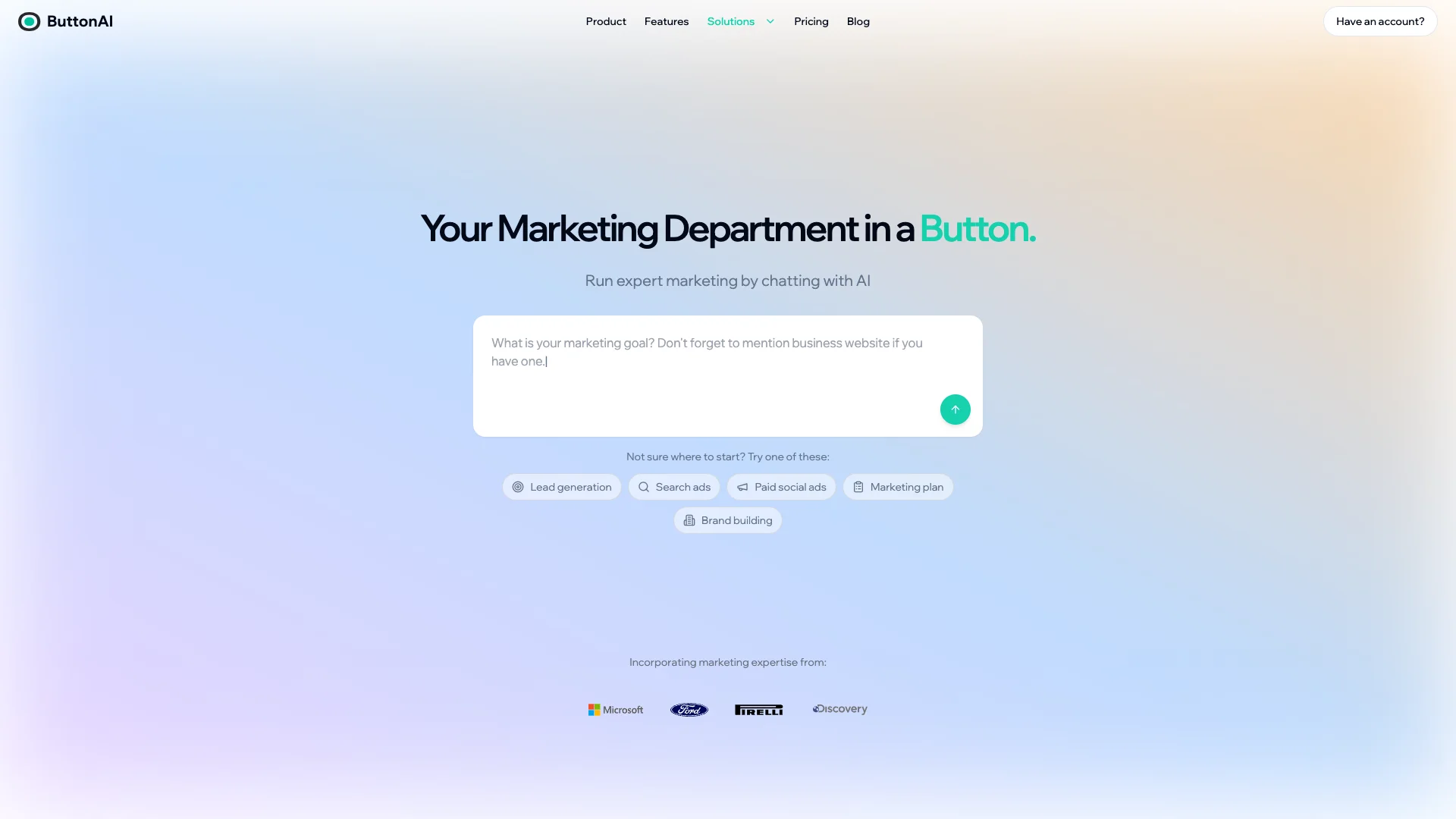
ButtonAI is an AI tool that acts like your marketing team. Tell it your goal, and it creates entire ad campaigns, including ads and landing pages. It then launches them on Google and Meta, constantly working to optimize and boost your sales 24/7.

About ButtonAI

Who It's For

This tool is for any business or individual who needs effective marketing without complex effort. It helps various businesses, from photographers to e-bike rentals, reach the right customers, boosting their visibility and sales.

What You Get

You receive complete marketing campaigns: ad copy, landing pages, and social posts. The tool integrates with Google and Meta for easy, one-click launches from a single dashboard. The AI then tirelessly optimizes your ads 24/7 to ensure the best results and highest profit.

How It Works

Simply tell the AI your marketing goal. With one button press, you get a full plan and ready-to-launch ad campaigns. Then, go live on Google and Meta from one dashboard with a single click. The AI will constantly optimize your campaigns to grow your profit while you focus on your business.
Stay in the loop

Weekly roundup of new AI agents. No spam, unsubscribe anytime.

Subscribe and get the free 2026 AI Agents Field Guide

Join 1,500+ AI builders · weekly, no spam

Features & Capabilities

🤖 AI-Powered Campaign Generation

Goal-Driven Campaign Creation

Users define marketing goals in plain English, and the AI generates complete campaigns.

Full Marketing Content Generation

The AI automatically creates ad copy, landing pages, social media posts, and email content.

Instant Campaign Deployment

Campaigns are instantly ready to launch, transforming marketing goals into live campaigns with a single click.

🚀 Cross-Platform Launch & Management

Google & Meta Integration

Seamlessly launch and manage ad campaigns across both Google and Meta platforms.

Unified Campaign Dashboard

Monitor and control all active campaigns from Google and Meta within a single, centralized interface.

Single-Click Multi-Platform Launch

Deploy campaigns simultaneously to major ad platforms like Google and Meta with just one click.

📈 Autonomous Performance Optimization

Continuous AI Optimization

The AI tirelessly works 24/7 to automatically optimize every aspect of campaigns for maximum profit.

Automated A/B Testing

The system constantly performs A/B tests on elements like headlines, keywords, and ads to improve performance.

ROI-Focused Performance Boosting

Campaigns are continuously tweaked and refined by AI to maximize return on investment and sales.

Use Cases

Streamlining Digital Ad Campaign Management

Small businesses and marketers often struggle with the complexity and time required to effectively manage digital advertising across platforms like Google and Meta. ButtonAI automates the entire process, allowing users to simply state their marketing goal to instantly generate full ad campaigns, including copy and hosted landing pages, which are then launched and continuously optimized 24/7 for maximum ROI.

Small Business, E-commerce, Local ServicesFor: Small Business Owners, Marketing Managers, Entrepreneurs

Automated Lead Qualification and Customer Engagement

Businesses frequently face challenges in not only attracting quality leads but also efficiently qualifying and engaging them through their sales funnel. ButtonAI addresses this by creating highly targeted ad campaigns to bring in relevant prospects, then deploying customizable AI chatbots that can engage visitors, guide them through structured sales flows, qualify their needs, and automate actions like scheduling calls or sharing contact details, significantly improving conversion rates.

B2B SaaS, Professional Services, HospitalityFor: Sales Development Teams, Marketing Teams, Customer Service Managers

Accelerating Marketing Content Creation and Deployment

Creating a diverse range of marketing content, from ad copy to landing pages and social posts, can be a time-consuming bottleneck for marketing teams and solo entrepreneurs. ButtonAI serves as an "AI marketing genie," instantly generating all necessary content for a complete marketing campaign based on a simple goal, enabling rapid deployment across major ad platforms and freeing up valuable time for strategic tasks.

Digital Marketing Agencies, E-commerce, StartupsFor: Marketing Content Creators, Digital Marketing Specialists, Startup Founders

Frequently asked questions

ButtonAI is an AI-powered platform designed to help businesses and individuals automate marketing campaigns, create content, and deploy AI chatbots. It enables users to generate ad copy, landing pages, social posts, emails, and more, with seamless integration into Google and Meta platforms.

To set up an AI chatbot with ButtonAI, you access your ButtonAI dashboard, navigate to the chatbot or AI assistant section, create a new AI chatbot campaign and give it a unique name, and then input a custom prompt or modify the default prompt to define how your chatbot should behave.

You can train your AI assistant using FAQs, files, or URLs. This involves uploading your business documentation, product guides, or FAQs. You also have the option to paste multiple short FAQ questions or a single comprehensive FAQ document, noting that a single large document may use more AI tokens but can improve response quality.

Customizing your ButtonAI chatbot involves defining its personality through custom instructions, such as setting the tone to formal, friendly, professional, or casual, and specifying fallback responses. You can also design a structured sales flow to guide users and qualify their needs, automate actions for the bot to respond with links, offer to schedule calls, share contact details, or trigger other actions, and specify a default language and instruct the bot to use emojis for a more engaging experience.

Best practices for customizing ButtonAI chatbots include adding a fallback response for queries the bot can’t answer, providing a default reply like “I’m sorry, I don’t have that information right now. For more assistance, please contact [email address].”. It is also important to set the right tone, defining whether the chatbot should be friendly, professional, or conversational, and to trigger specific actions, directing the bot to offer scheduling options, provide links, or request user information as needed. Additionally, you should specify a default language for responses and instruct the chatbot to add emojis where appropriate to keep the tone light and friendly.

To test and refine your ButtonAI chatbot, you should create a trial chatbot to validate your instructions. Test the chatbot’s responses and refine your instructions for improved performance before going live, and replace any default placeholders such as [company name] or [contact details] with your accurate information.

You can upload various kinds of data to train your ButtonAI chatbot, including FAQs, manuals, product guides, other documentation, and public documents, blogs, or forums related to your industry.

ButtonAI implements security measures to protect user data. For events, ButtonAI has a policy to protect speaker content and ensure sessions remain focused and respectful.

More resources and support for ButtonAI can be found at the ButtonAI Help Center, the ButtonAI FAQ for Freelance Web Developers, the ButtonAI FAQ for Digital Marketing Teams, and the ButtonAI AI Policy page.

Tags