Course
Give your AI a permanent memory of your business. A course for people who use ChatGPT or Claude daily.Compound Context
ArchiLabs logo

ArchiLabs

4.3

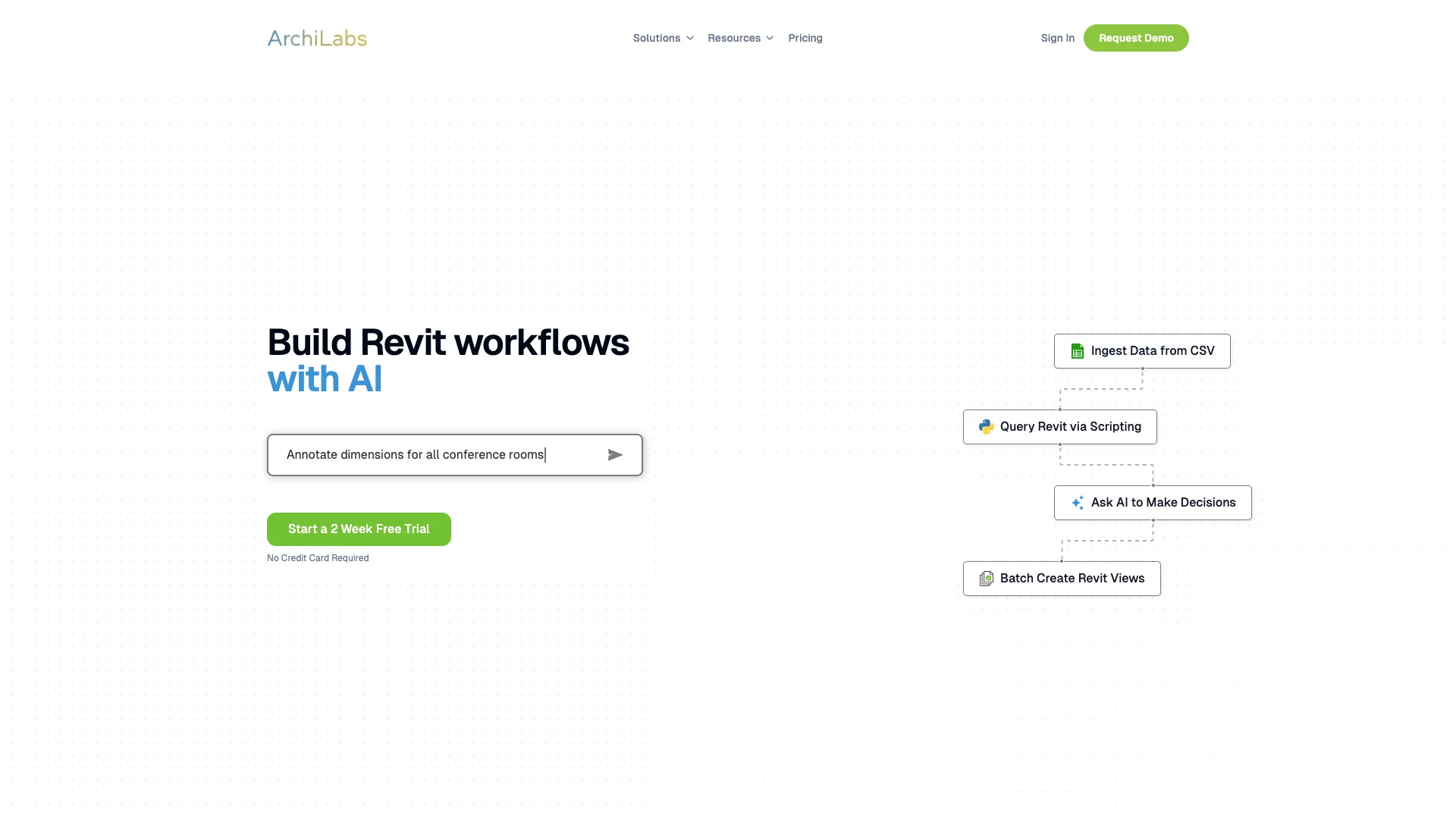
ArchiLabs is an AI tool that works like a "ChatGPT for Revit." It helps architects and BIM professionals automate boring, repetitive tasks directly inside Revit using simple chat commands, not code. This speeds up design work, makes documents more consistent, and lets you focus on creative parts of your projects.

About ArchiLabs

Who It's For

This tool is for architects and BIM professionals who use Revit. It's perfect for anyone who wants to speed up their design process and stop doing repetitive tasks. You don't need to know how to code or use complex scripting tools like Dynamo.

What You Get

ArchiLabs gives you an AI assistant right inside Revit. You can automate many tasks, like creating sheets, tagging rooms, making schedules, and generating 3D views. It also lets you build custom automations and even create renderings using AI.

How It Works

You interact with ArchiLabs by simply chatting with it. Tell the AI what you need done in plain language, and it will perform those actions in your Revit model. The AI handles all the technical details, translating your requests into commands that Revit understands.
Stay in the loop

Weekly roundup of new AI agents. No spam, unsubscribe anytime.

Subscribe and get the free 2026 AI Agents Field Guide

Join 1,500+ AI builders · weekly, no spam

Features & Capabilities

🤖 Core AI Functionality

AI-powered Decision Making

Enables the AI to make informed decisions and act autonomously within Revit workflows.

AI-driven Workflow Building

Assists users in constructing complex Revit workflows through AI guidance.

ChatGPT-like Interaction

Provides an intuitive in-Revit copilot experience for automating tasks via natural language chat.

AI-assisted Drafting & Detailing

Supports unlimited drafting and detailing tasks with artificial intelligence capabilities.

⚙️ Revit Task Automation

Batch View Creation

Automates the efficient creation of multiple Revit views.

Sheet Creation & Layout

Streamlines the process of creating and organizing sheets within Revit models.

Room Tagging Automation

Automatically tags rooms in Revit models, reducing manual effort.

Parameter Management

Simplifies the management and manipulation of various Revit parameters.

🛠️ Custom Workflow & Collaboration

AI Authoring Mode

Allows users to create new automations from scratch by interacting with the AI.

User Input Experiences

Launches rich, guided user interfaces to make task automation in Revit intuitive.

Seamless Collaboration

Enables direct sharing of created automations with team members for enhanced teamwork.

Configurable AI Agent Workflows

Configures AI agent workflows to align with an organization's specific rules and standards.

Use Cases

Streamlining Revit Documentation with AI

Architects and BIM professionals frequently face time-consuming and error-prone repetitive tasks like generating sheets, views, schedules, and tagging. ArchiLabs allows users to automate these complex multi-step processes in minutes through simple AI prompts, dramatically increasing efficiency and ensuring consistent, accurate project documentation.

Architecture, Engineering, Construction (AEC)For: Architects, BIM Managers, Revit Technicians, Drafters

Creating Bespoke Revit Automations via AI Chat

Many firms require tailored automations for specific project standards or internal processes, but developing these traditionally demands coding expertise (e.g., Dynamo, pyRevit). ArchiLabs' Authoring Mode empowers users to design and implement custom, complex Revit workflows from scratch simply by conversing with the AI, eliminating the need for scripting knowledge.

Architecture, Engineering, Construction (AEC)For: BIM Managers, BIM Coordinators, Senior Architects, Project Leaders

Conversational BIM for Real-time Model Analysis and Correction

Analyzing intricate BIM models for compliance or identifying issues like untagged elements can be a manual and exhaustive process. With ArchiLabs' Agent Mode, users can engage in multi-turn dialogues with the AI, asking context-aware questions about their model and instantly executing corrective actions, transforming model review into an interactive, efficient process.

Architecture, Engineering, Construction (AEC)For: Project Architects, BIM Managers, Quality Assurance Engineers, Model Reviewers

Generating Quick Design Visualizations with AI

Visualizing design concepts with varying styles and ambiances often involves external tools and significant time. ArchiLabs integrates AI image generation, enabling architects to produce high-quality renderings directly from their Revit models using simple prompts, accelerating early-stage design exploration and client presentations.

Architecture, Interior Design, Real Estate DevelopmentFor: Architectural Designers, Project Architects, Marketing & Visualization Teams

Frequently asked questions

Tags

Specifications

Deployment
Browser
Cloud
Target Audience
Individual
Startup
Business
Enterprise
Complexity
Developer

Pricing

Professional Plan

Per monthly

$99
  • Unlimited AI-assisted drafting and detailing
  • Unlimited workflow automations and script runs
  • Seat-based licensing for each Revit user
  • Priority email support from the ArchiLabs team
  • New features and model libraries added monthly

Enterprise Plan

Per monthly

Free
  • Hands-on collaboration to map and automate your core workflows
  • AI agent workflows configured to your organization’s rules
  • Training sessions for your team and ongoing optimization
  • Dedicated success engineer for onboarding and ongoing support

✓ Free trial • ✓ Free plan • ✓ Plans from $99 / monthly • ✓ Enterprise options

Want your AI tool listed here?

Start with a free eligibility check.

Submit