Course
Give your AI a permanent memory of your business. A course for people who use ChatGPT or Claude daily.Compound Context
addto.me logo

addto.me

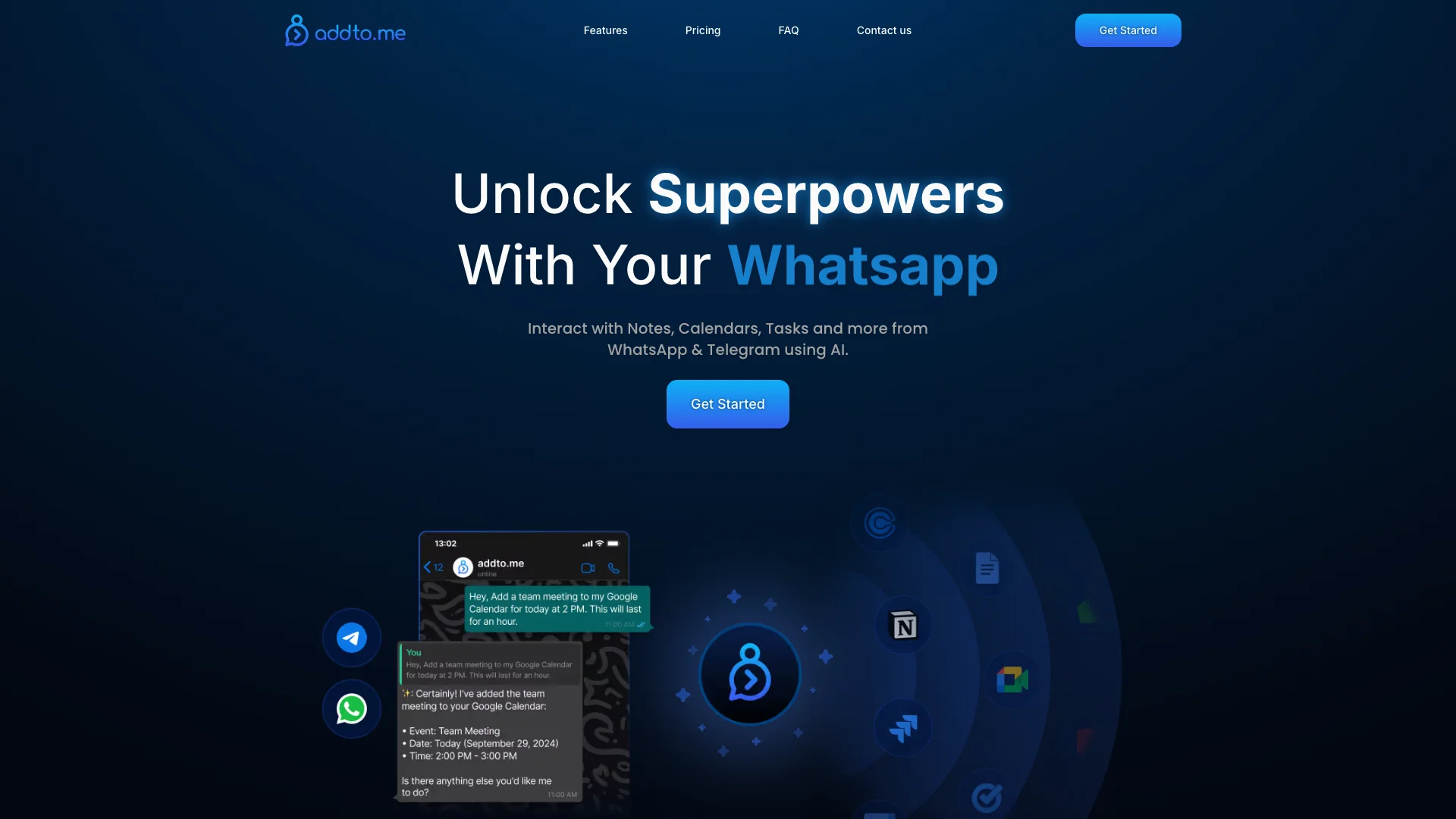
addto.me links your chat apps, like WhatsApp and Telegram, with productivity tools such as Google Calendar and Notion. Its AI lets you manage tasks, schedule events, and take notes right from your chats. This simplifies your digital life, letting you get more done without switching apps.

About addto.me

Who It's For

This tool is for anyone who uses WhatsApp or Telegram and wants to manage their work without leaving their chat apps. It's great for busy people who need to create tasks, schedule meetings, or jot down notes quickly. If you often switch between many apps, addto.me can help simplify your day.

What You Get

You get an AI assistant that understands what you say, even through voice messages. It connects to popular tools like Google Calendar, Notion, and Jira. You can manage tasks, create events, and save notes directly from your chats. The tool also keeps your data private by not storing copies.

How It Works

First, you connect your WhatsApp or Telegram account to addto.me. Then, you simply type or speak your commands into your chat. The AI understands your request and performs the action in your linked apps. For example, you can tell it to add an item to Notion or schedule a meeting, all from your messenger.
Stay in the loop

Weekly roundup of new AI agents. No spam, unsubscribe anytime.

Subscribe and get the free 2026 AI Agents Field Guide

Join 1,500+ AI builders · weekly, no spam

Features & Capabilities

⚙️ Core AI Functionality

Natural Language AI Assistant

Leverages AI with natural language understanding to transform messages into meaningful actions.

Voice Message Input

Supports sending voice messages to communicate ideas efficiently and reduce typing time.

Multilingual AI Interaction

Enables users to interact with the AI assistant comfortably in their preferred language.

🔗 Platform Integration

Multi-Messenger Connectivity

Connects various WhatsApp and Telegram accounts to centralize productivity tasks across chat applications.

Third-Party App Interaction

Allows direct interaction with external applications like Notion, Calendars, and Task managers from within messengers.

🔒 Data Security & Privacy

Live Data Fetching & Privacy

Ensures data privacy and currency by fetching necessary information live from original sources without storing synced copies.

Use Cases

Streamlining Daily Productivity from Messaging Apps

Professionals often waste time switching between various productivity applications throughout their day. addto.me solves this by enabling users to manage tasks, schedule events, and update notes directly from their preferred chat app (WhatsApp or Telegram) using natural language commands, creating a seamless and unified workflow.

General BusinessFor: Professionals

Rapid Task Creation and Project Updates via Chat

Project managers and team members struggle with quickly capturing new tasks or updating project statuses when not at their desks. addto.me allows users to instantly create new tasks in Jira or Google Tasks, or add items to Notion pages, simply by sending a voice or text message in WhatsApp or Telegram, ensuring no action item is missed and projects stay on track.

Project ManagementFor: Project Managers

Accelerating Meeting Logistics and Client Engagement

Sales professionals and client-facing teams need to quickly schedule meetings and share booking links without leaving their current conversations. addto.me empowers them to create Google Meet links, schedule events in Google Calendar, and instantly share Calendly booking links directly from WhatsApp or Telegram using natural language, significantly reducing administrative overhead and speeding up client engagement.

SalesFor: Account Executives

Hands-Free Management for On-the-Go Productivity

Professionals who are frequently mobile or in situations where typing is impractical need a way to manage their digital tasks efficiently. addto.me leverages voice message support, allowing users to create notes, schedule appointments, or update tasks in their integrated apps simply by speaking into WhatsApp or Telegram, providing a truly hands-free productivity experience.

Mobile WorkforceFor: Mobile Professionals

Frequently asked questions

addto.me is an AI-powered productivity platform that connects your favorite productivity tools—such as Google Calendar, Notion, Jira, Calendly, and Google Tasks—with popular messaging apps like WhatsApp and Telegram. It allows you to manage your digital life directly from your chat interface using natural language, eliminating the need to constantly switch between multiple applications.

addto.me offers several core capabilities designed to enhance productivity, including multi-messenger support for WhatsApp and Telegram, an AI assistant that understands natural language with reasoning capabilities, voice message support to communicate hands-free, multi-language support for comfortable interaction in your preferred language, live data fetching that doesn't store copies of your data, and module integration with various productivity tools.

addto.me enables you to perform various productivity tasks directly through chat, such as managing tasks and projects seamlessly across messaging apps, scheduling and organizing events using chat commands, creating and updating notes with natural language, integrating multiple apps for unified productivity, automating reminders, creating meetings in Google Meet from WhatsApp, creating new tasks in Jira via voice message on Telegram, adding items to Notion pages through simple messages, sharing Calendly links during conversations, and reducing time spent switching between applications.

To begin using addto.me, connect your WhatsApp or Telegram accounts to the platform, then interact with your notes, calendars, tasks, and other apps directly through chat messages. You can use natural language to create, update, and manage your information. The platform supports a 14-day free trial to test the service before committing to a paid plan.

Yes. addto.me emphasizes privacy by not storing synced copies of your data from connected modules and integrations. Instead, the platform fetches only the necessary data live directly when requested, keeping your data private within its original source and ensuring you always work with the most up-to-date information.

addto.me offers various subscription plans with different levels of access and credits. A free plan is available after your 14-day trial period, providing core features. Paid plans offer higher AI usage limits that reset monthly.

The platform supports multiple languages, allowing you to communicate with the AI assistant in the language you're most comfortable with.

addto.me connects with a growing list of productivity tools including Google Calendar, Notion, Jira, Calendly, Google Tasks, Google Meet, Google Contacts, and Zoom. The platform continues to expand its integration options.

Native iOS and Android apps are currently in closed beta. The platform is actively developing these applications to provide dedicated mobile experiences.

Tags